
Extensions and actions (beta)
Extensions are the components that determine the type of functionality that an extension app implements. Each extension supports one or more actions and capabilities. Both actions and capabilities send requests to an external API service. Actions are required and provide the core functionality for an extension. Capabilities are optional and offer additional features to enhance the core functionality. You specify the extensions, actions, and capabilities to include in an extension app when you register an extension app.
For file output to system of record, the method your extension app uses for identifying a destination record determines the extensions, actions, and capabilities that should be included in the app. See these sections for details:
- Extensions and actions: Record identifier is a workflow variable
- Extensions and actions: Record ID is from a Data read step
Extensions and actions: Record identifier is a workflow variable
If a workflow variable value will identify the record to write files to, the file output system of record extension must implement the Write File action and the Get Type Names capability. Below are descriptions of how they function.
These sections explain the flow for action and capability execution:
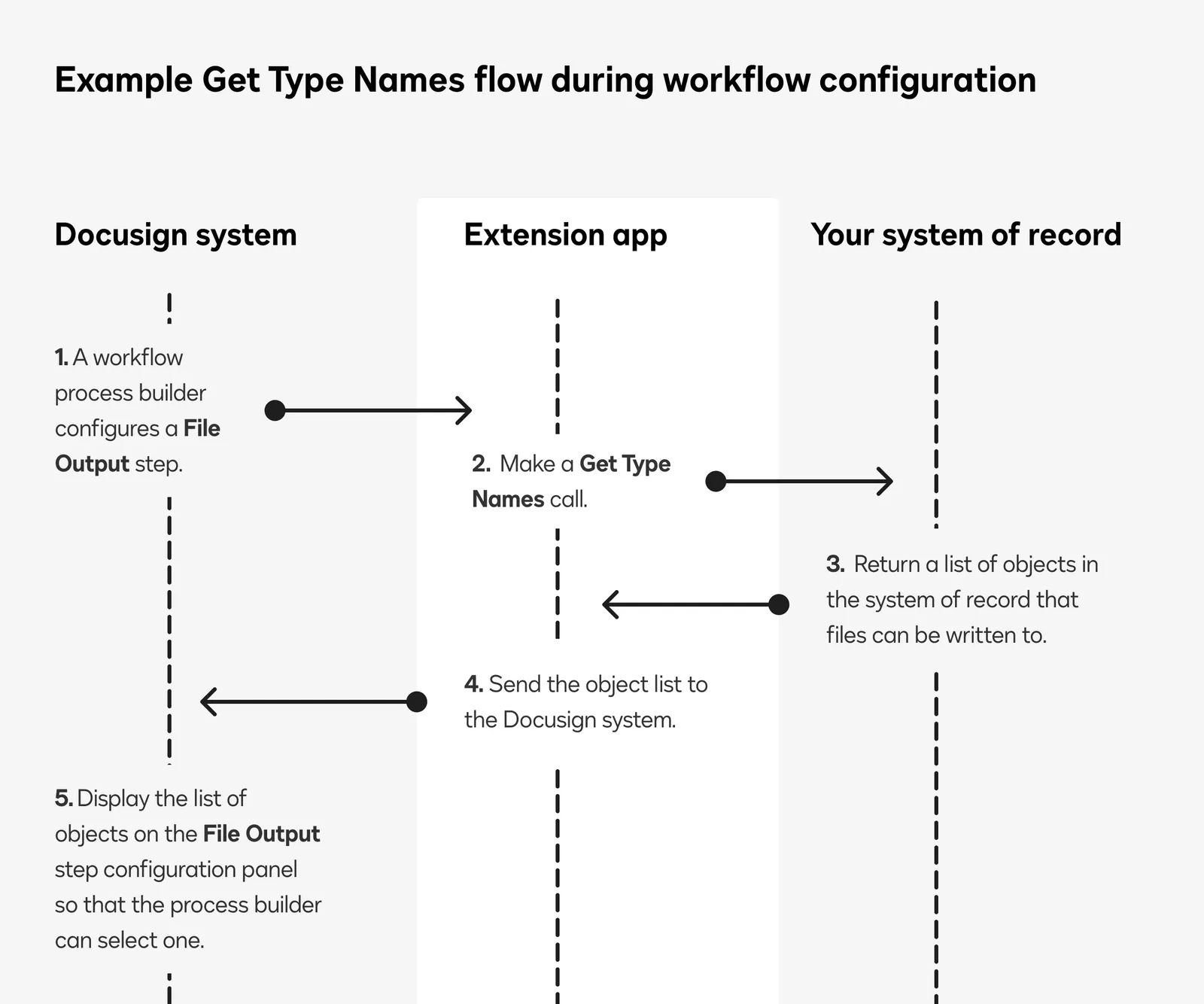
Get Type Names flow
When a workflow process builder configures a File Output step, a Get Type Names call retrieves a list of objects that your system of record exposes.
Docusign displays the list of objects in a dropdown on the File Output step configuration panel. This enables the process builder to select an object to write files to. The object name is included in the Write File request during workflow instance execution.
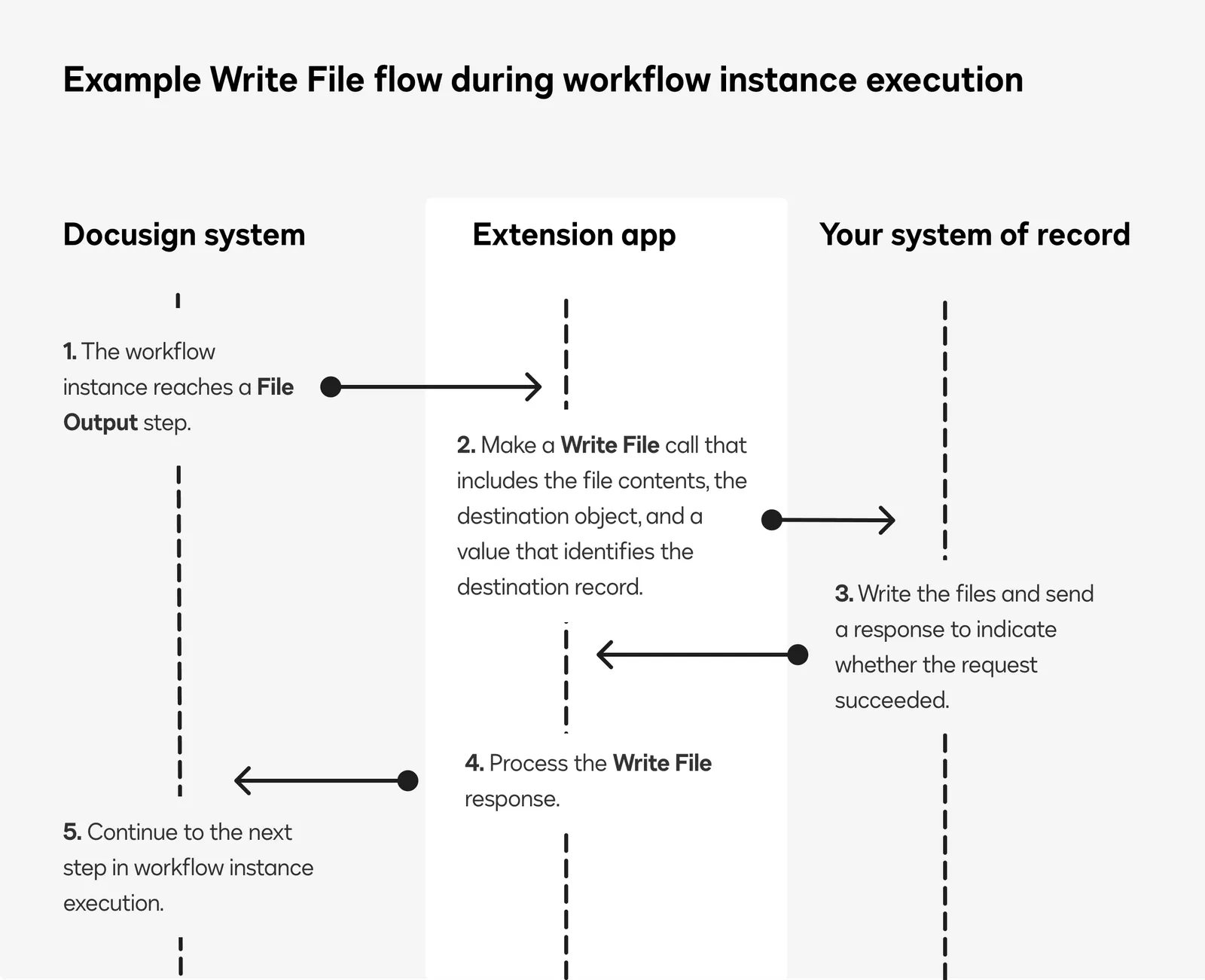
Write File flow
As a customer completes the steps in a running workflow instance, Docusign calls Write File to write the envelope file or files to the system of record. The request includes the file contents, the destination object, and a value that can be used to identify the destination record.
Extensions and actions: Record ID is from a Data read step
If a record ID returned from a workflow Data read step will identify the record to write files to, the extension app requires two extensions:
-
Data IO: This extension retrieves data model details from the external system of record and searches for a record to which a file or files will be written. The extension must include these actions:
- Get Type Names
- Get Type Definitions
- Search Records
-
File output system of record: This extension writes envelope files to the system of record. The extension must include this action:
- Write File
Below are descriptions of the actions.
These sections explain the flow for action execution:
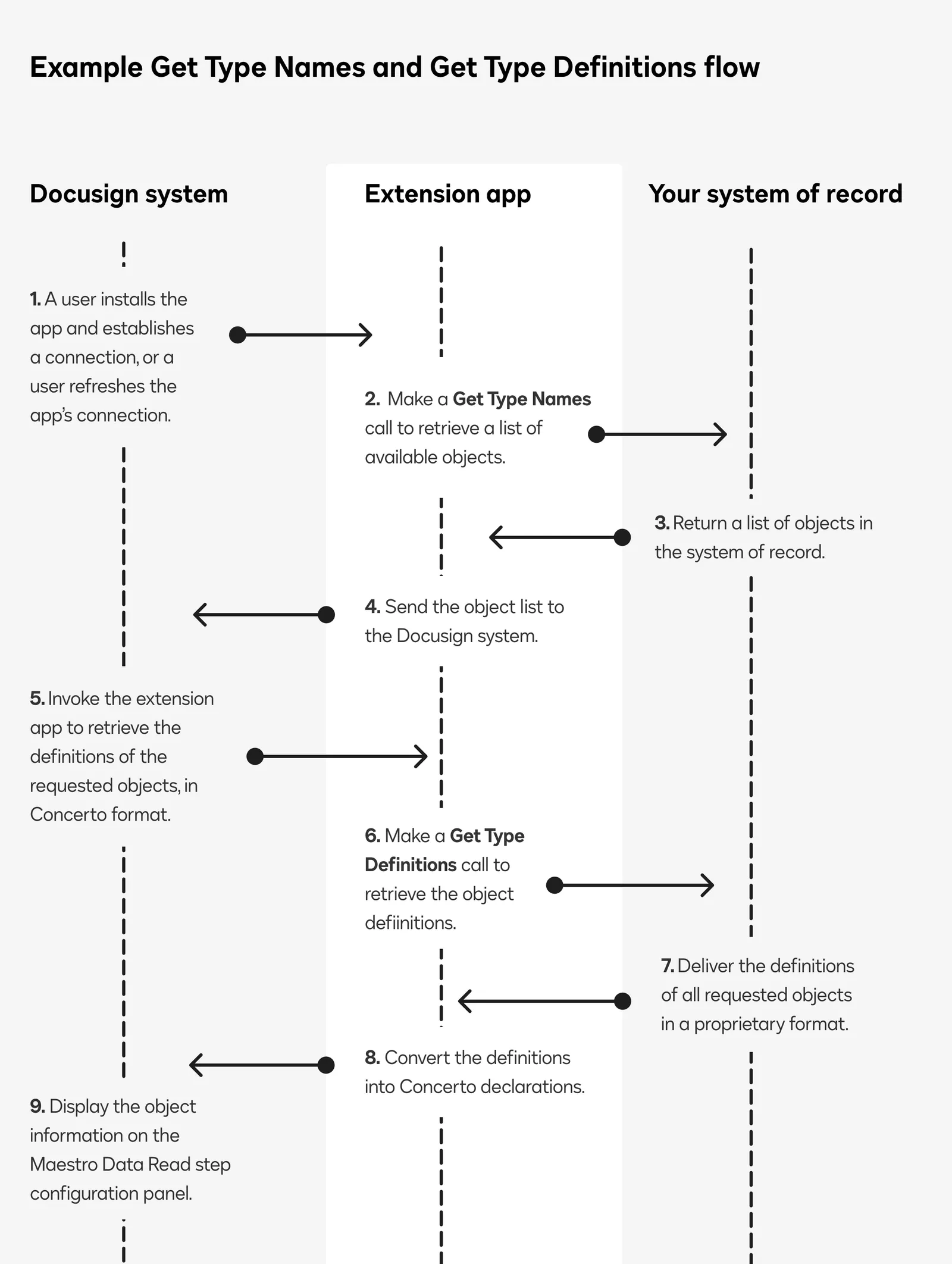
Get Type Names and Get Type Definitions flow
When your extension app is installed and connected to a Docusign account, or when a connection is refreshed in the Docusign App Center, the extension app will automatically get the types and type definitions of the objects that your system of record is configured to expose:
- Docusign calls Get Type Names to get the set of objects that your system of record exposes.
- Docusign calls Get Type Definitions, inputting the objects returned by Get Type Names. This returns the definitions of each object that your system of record exposes for Docusign.
After Docusign has retrieved the object definitions, it displays them on the workflow Read from step configuration panel. This enables workflow process builders to set up parameters that will be used at workflow instance run time to identify the object and record that envelope files are written to.
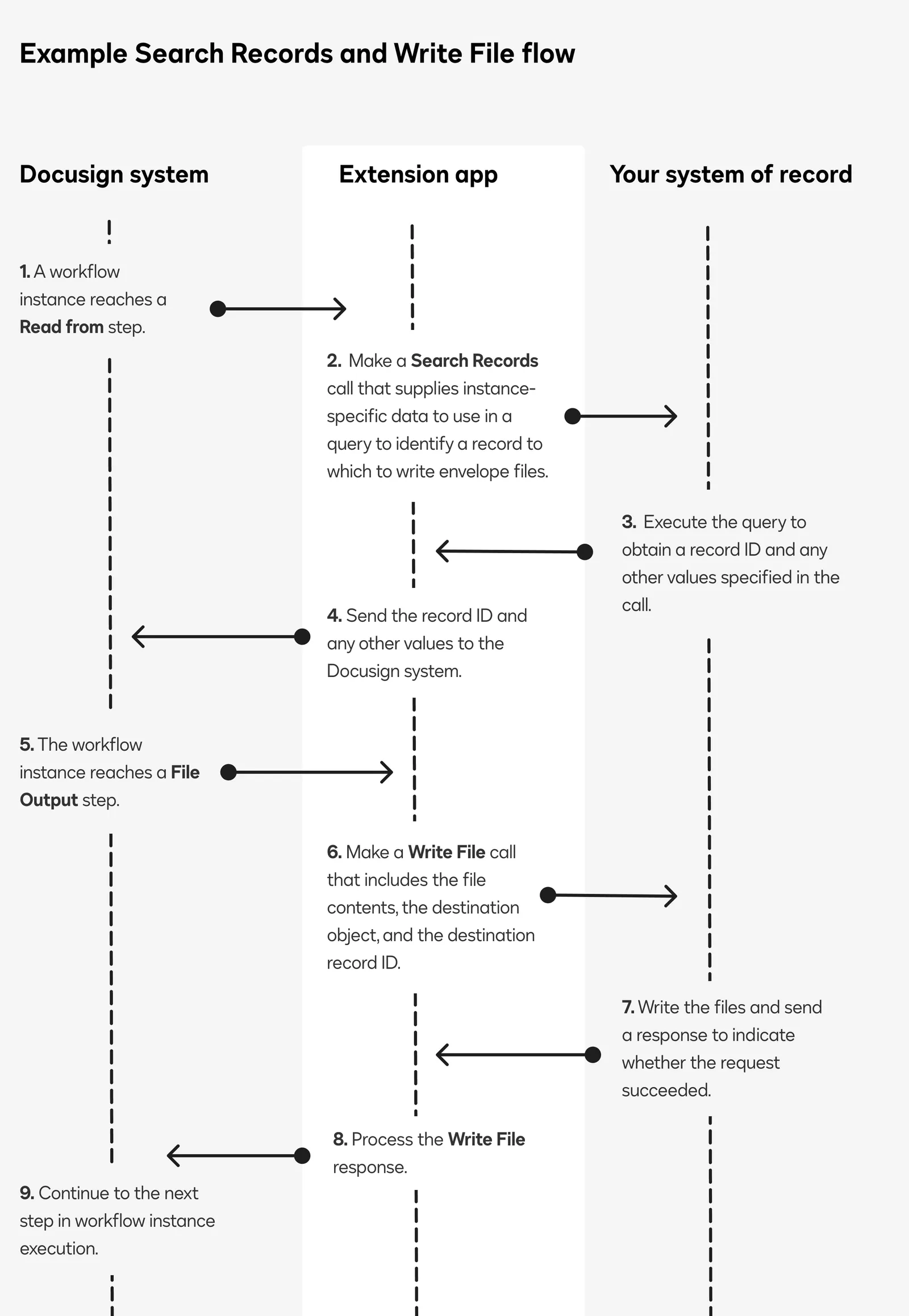
Search Records and Write File flow
This action flow is executed as a customer completes the steps in a running workflow instance.
- Docusign calls Search Records to get the ID of a record in the external data source to which envelope files are to be written.
- Docusign calls Write File to write the file to the record identified in the response to the Search Records request.
Next steps
- Review options to consider when you plan a file output to system of record implementation.
- Get an overview of the process to build an extension app.
- See File output system of record extension contract reference for details about the action and capability requests and responses.