
File output system of record extension overview (beta)
The file output system of record extension exports documents to a system of record in real time as customers complete them. For example, the extension can be invoked from a workflow that sets up electronic funds transfer (EFT) for investment accounts. After customers sign EFT authorization forms, the extension sends a request to the system of record to write the files to the specified object and record.
Docusign offers extension apps that integrate with HubSpot, Microsoft Dynamics 365, and Salesforce. If you want to store files to these services, visit the Docusign App Center for details.
Workflow step that exports files
After a file output to system of record extension app has been installed and connected to a Docusign account, workflows in the account can write files to a system of record. To use this feature, a workflow must include a File Output step that invokes the extension.
File Output and other workflow steps have two phases of operation:
- Workflow configuration: A workflow process builder in your or your customer’s organization creates a workflow. During this one-time setup, the process builder adds workflow steps and defines properties that determine each step’s runtime behavior. For example, when a process builder defines a File Output step, they select the file source, the destination object, a value that identifies the record to write the file to, and a file naming convention.
- Workflow instance execution: A workflow instance is a runtime execution of a workflow’s steps for a specific customer. Each instance includes customer-specific workflow variable values that can be used in the steps. For example, when workflow instance execution reaches a File Output step, a customer’s account number can be sent as a record identifier in the request to write the file to the system of record. The request also includes the object that the process builder selected during workflow configuration.
Additional workflow steps or configuration may be required along with the File Output step. This depends on how your implementation identifies the destination record for the write operation and how the workflow obtains files to write. These topics explain the options:
The next section provides an example of how the file output system of record extension functions during workflow configuration and instance execution.
Use a file output system of record extension in a workflow
In the example described here, a process builder defines a workflow that enables a customer to authorize EFT for a financial account.
Expand the sections below to see how a file output system of record extension functions during workflow configuration and execution. See Extensions and actions for details about the functionality.
Workflow configuration: The process builder selects the extension
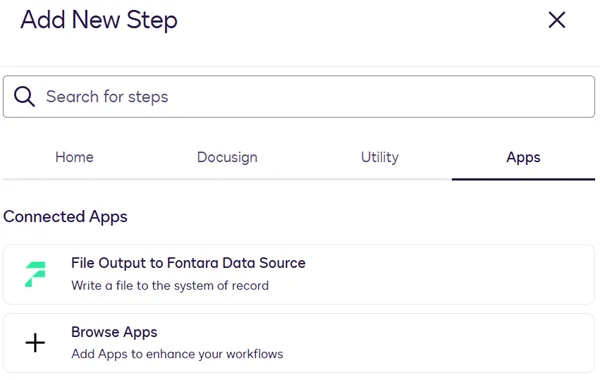
When adding a workflow step to write files to a system of record, the process builder selects the extension that has been installed to their Docusign account.
Workflow configuration: The process builder selects the file source
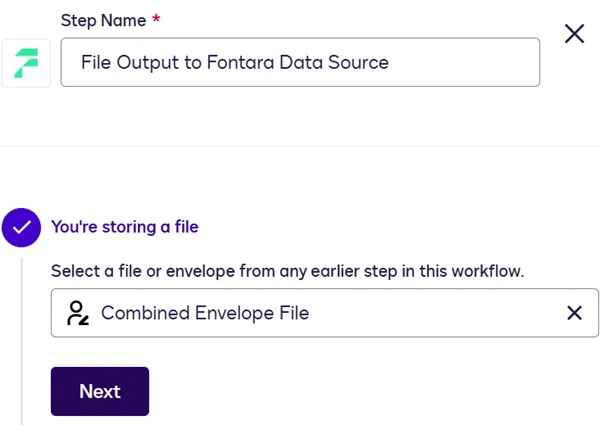
The process builder configures the file output step. The setting shown here determines the source of files to export to the system of record. In this example, the source is an eSignature envelope, which is generated during a workflow Send Documents for Signature step. A combined envelope file is a PDF that contains the envelope documents that a customer completed and signed.
Workflow configuration: The process builder selects the file destination
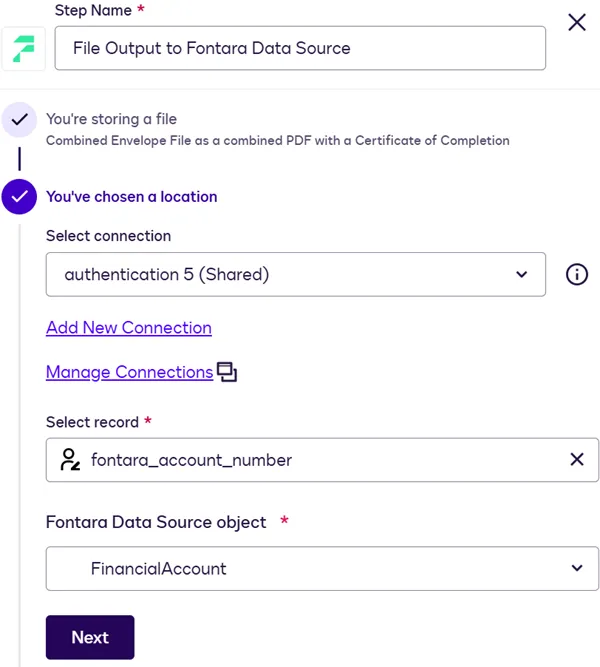
Next, the process builder selects a destination in the system of record for files to be exported.
In the Select record list, the process builder chooses a workflow variable whose runtime value will be sent with the request to write the file. In this example, the variable is an envelope field that contains the customer account number. The external system can use this value to identify the record to write the file to.
To populate the Object list, Docusign invokes the file output system of record extension to retrieve a list of system of record objects that files can be written to. The object name that the process builder selects will be included with the request to write the file.
Workflow configuration: The process builder defines a file naming convention
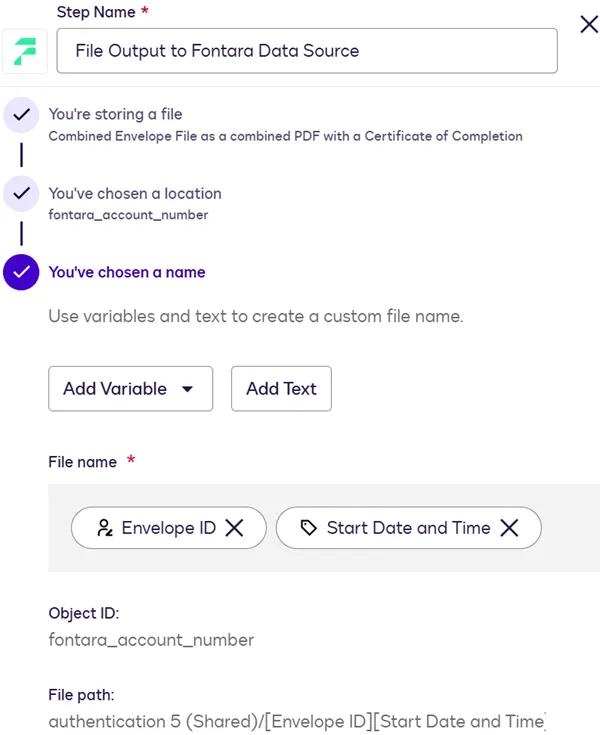
The process builder defines a naming convention for files that are written to the system of record. File names can consist of hardcoded text, variables whose values are specific to each workflow instance (such as the envelope ID or signer name), or a combination of the two.
Workflow instance execution: The customer completes an envelope
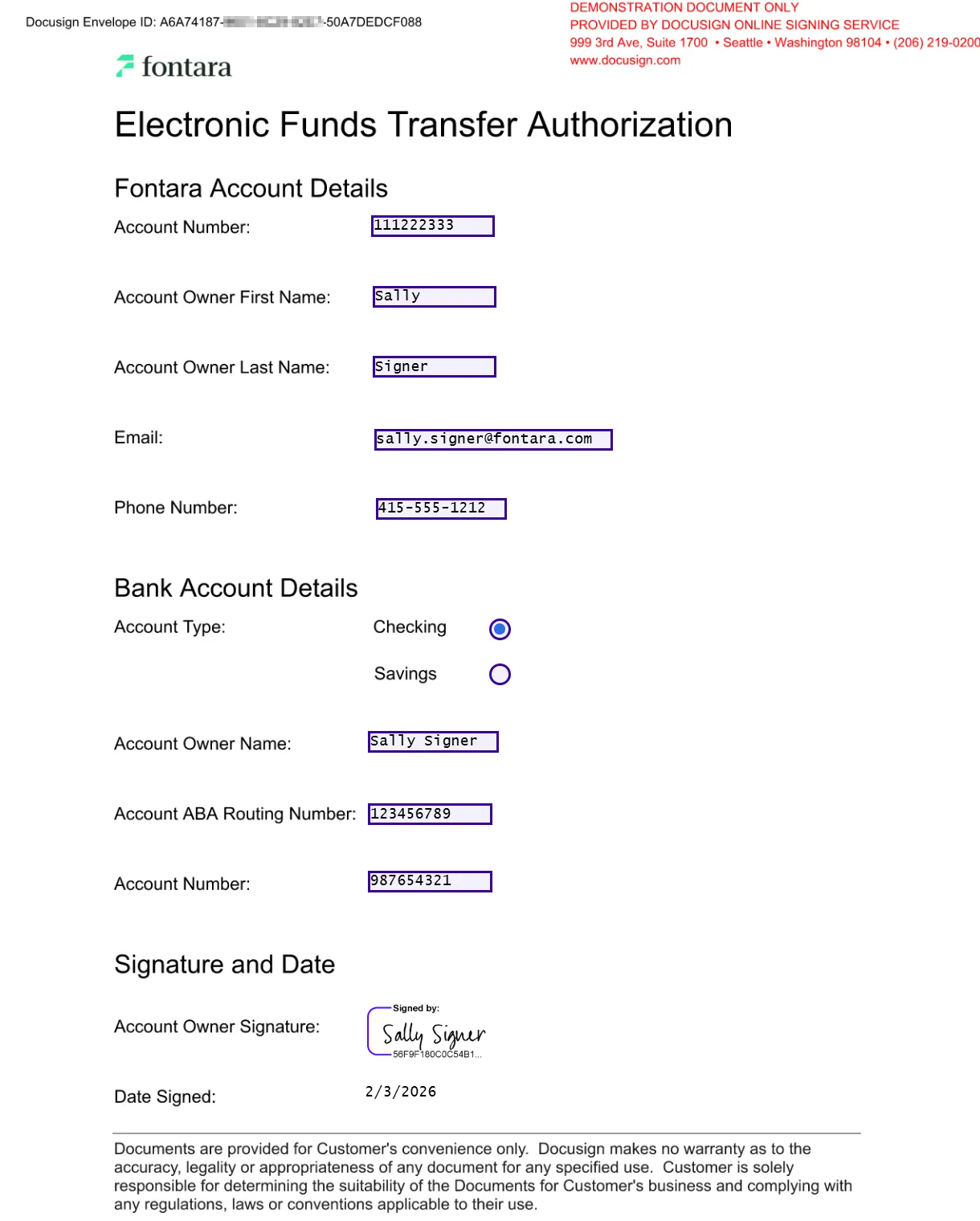
When workflow instance execution reaches the Send Documents for Signature step, the customer completes and signs the envelope that contains the EFT authorization form.
Workflow instance execution: The file is written to the system of record
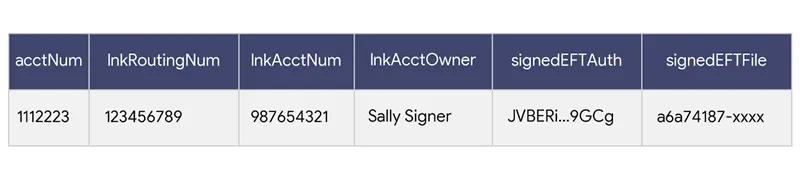
After the customer has completed the envelope, the workflow instance reaches the File Output step. The file output system of record extension is invoked to write the envelope file to the system of record. The external system uses the object name and workflow variable value provided in the request to identify the destination for the file.
Next steps
- Review the options for identifying a destination record to which a file will be written.
- See the choices available to select as the file source.
- Get an overview of the process to build an extension app.