
Monitor extension app usage
The Developer Console Dashboard enables you to monitor usage of your extension app. You can track the number of accounts to which the extension app has been installed and uninstalled over time.
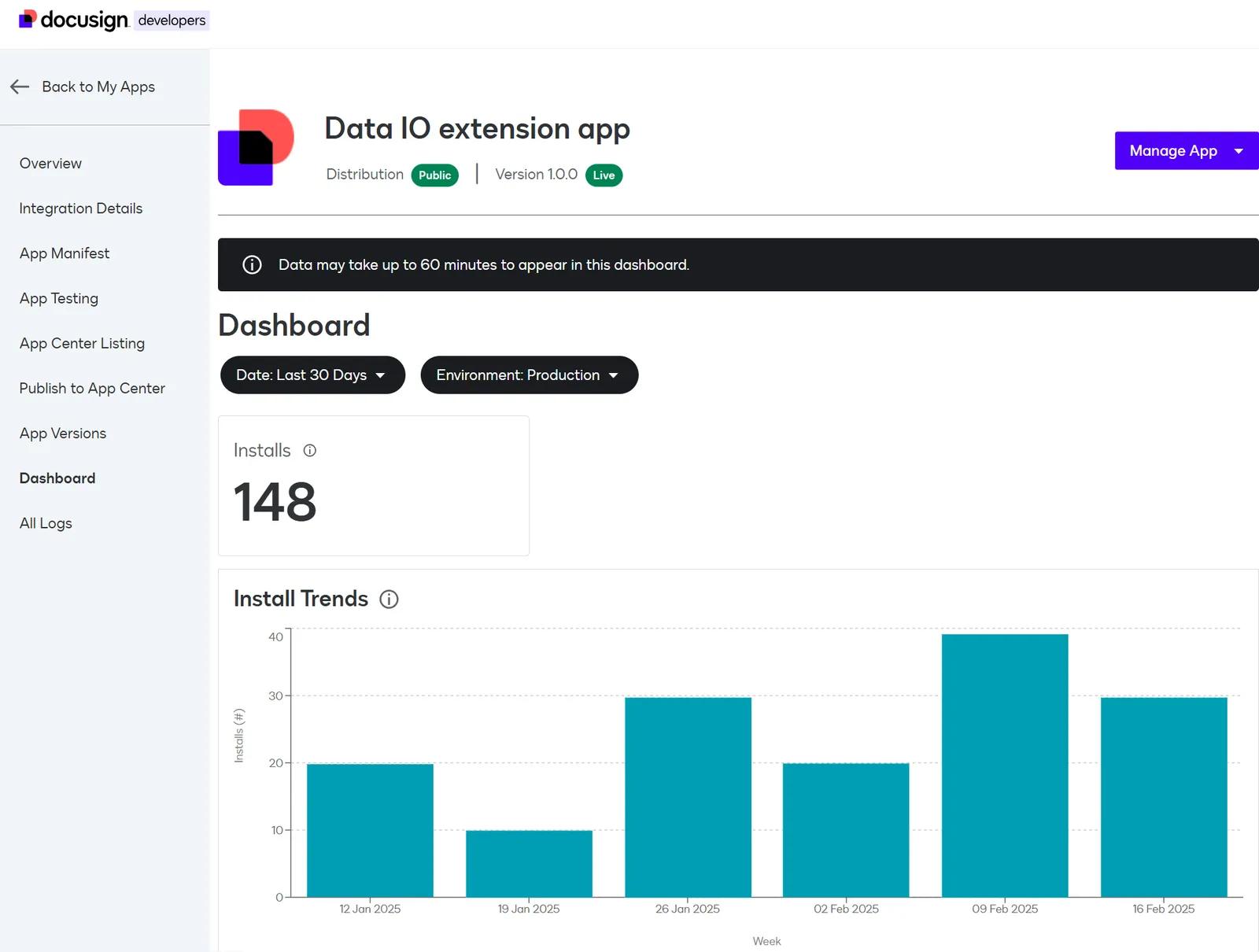
Access the extension app dashboard
To access an extension app’s dashboard:
- Log in to the Developer Console.
- On the My Extension Apps page, locate the row for the extension app you want to update.
- Select the app to open the Overview page.
- In the left navigation, select Dashboard.
Apply dashboard filters
The dashboard enables you to filter the data by date or environment. By default, the dashboard loads with data from the last 30 days for the demo environment.
To change the date range:
-
Select the date filter.
-
Select one of these options and select Apply:
- Last 30 days
- Last 6 month
- Last year
-
You can also select Custom Date Range, specify a range using one of these options, and select Apply:
- Between: Define a start date and end date. Results include activity on the start and end dates, as well as between them.
- Before: Select a date to return data from activity on and before that date.
- After: Select a date to return data from activity on and after that date.
The page reloads and the content reflects the selected date range.
To change the environment:
-
Select the environment filter.
-
Select one of these options and then select Apply:
- Demo
- Production
The page reloads and the content reflects from the selected environment. See Developer and production environments for details about the difference between these environments.
Review dashboard data
The dashboard displays data in three sections.
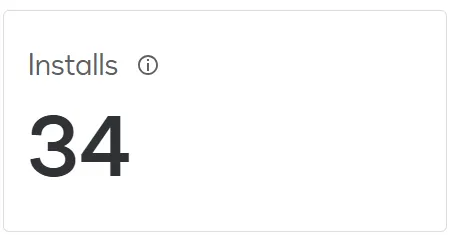
The Installs tile displays the total number of unique accounts that installed your app during the selected date range on the selected environment. Multiple installs to the same account are not counted separately.
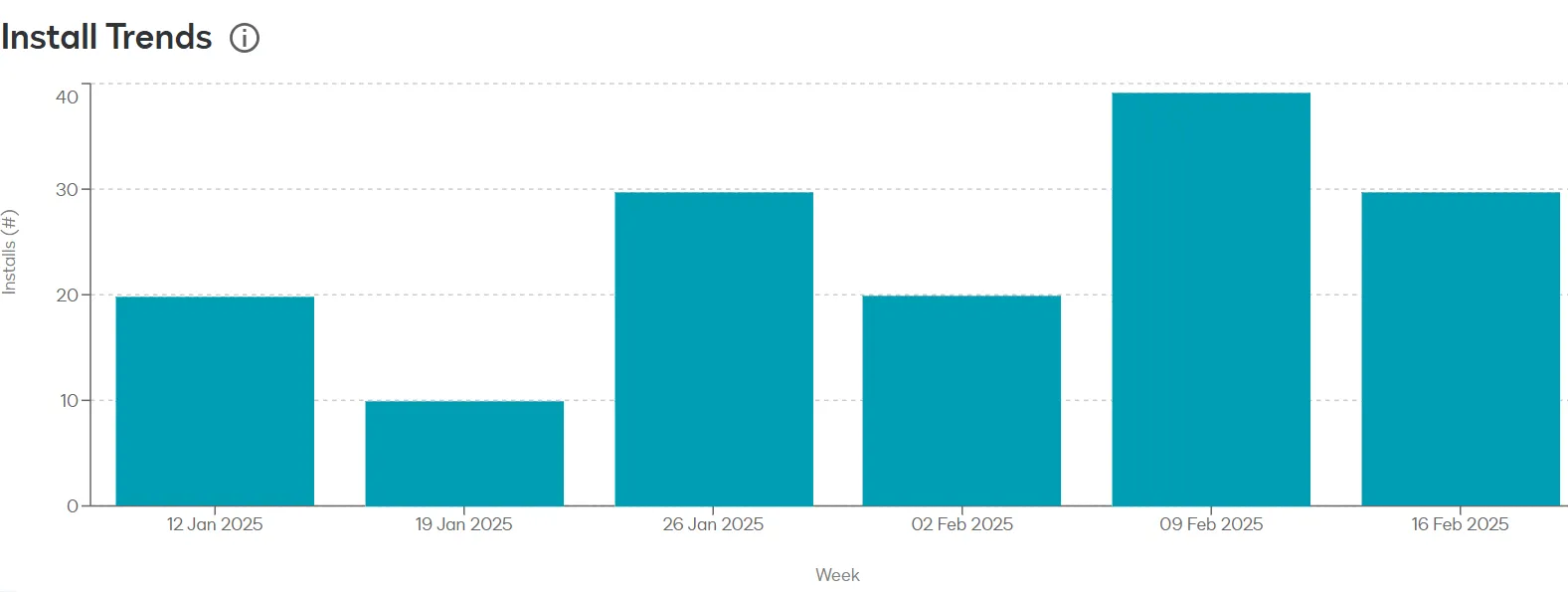
The Install Trends chart shows the number of unique accounts that installed your app by date.
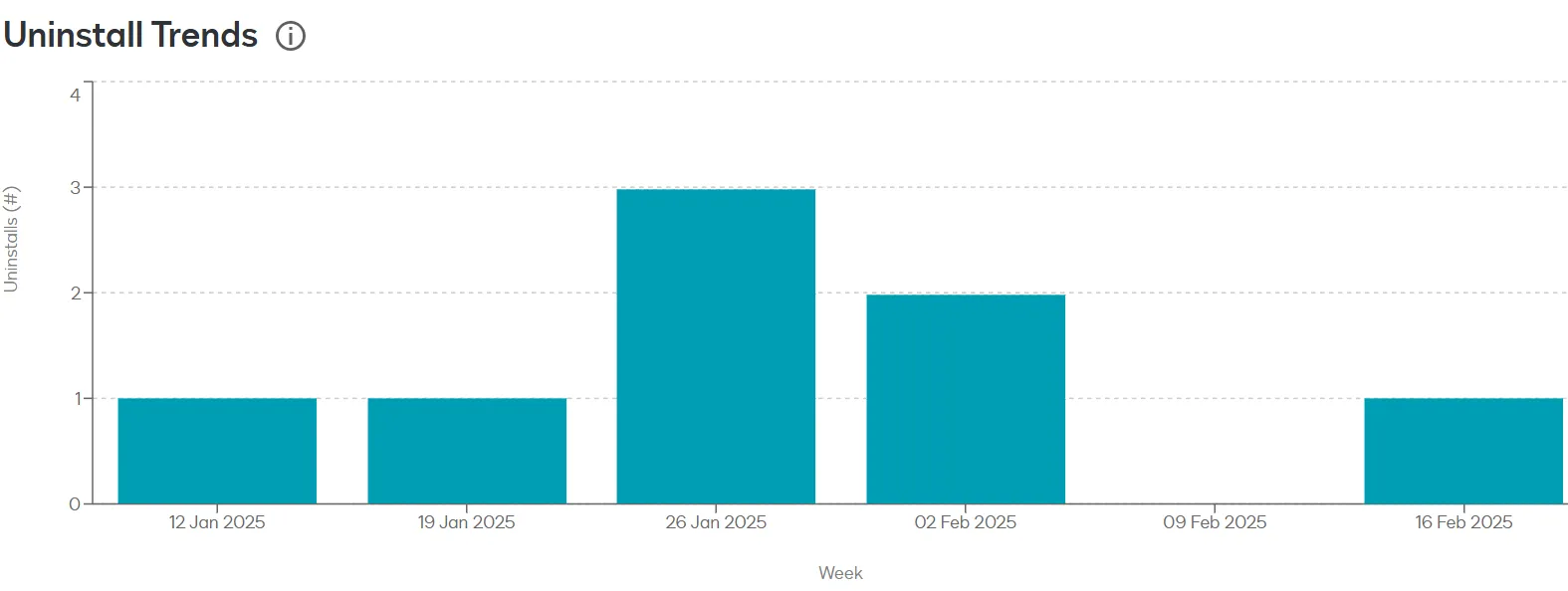
The Uninstall Trends chart shows the number of unique accounts that uninstalled your app by date.
The install and uninstall numbers reflect the following:
- Installs and uninstalls are counted regardless of whether they are initiated from the Developer Console or the App Center.
- If the extension app was installed but not connected, it is still counted in the totals.
Next steps
- Learn about supported extensions.
- Review example extension app use cases.