
Extension app status and distribution
The Developer Console displays two types of status for each extension app:
- Status: Indicates the current stage of an extension app in the development, review, and publishing process.
- Distribution: Indicates whether the published version of an extension app is available to all App Center users or only to users in accounts that you specify.
By default, published extension apps are available only to US customers on the production App Center. You can specify availability in additional regions. See Globalization for details.
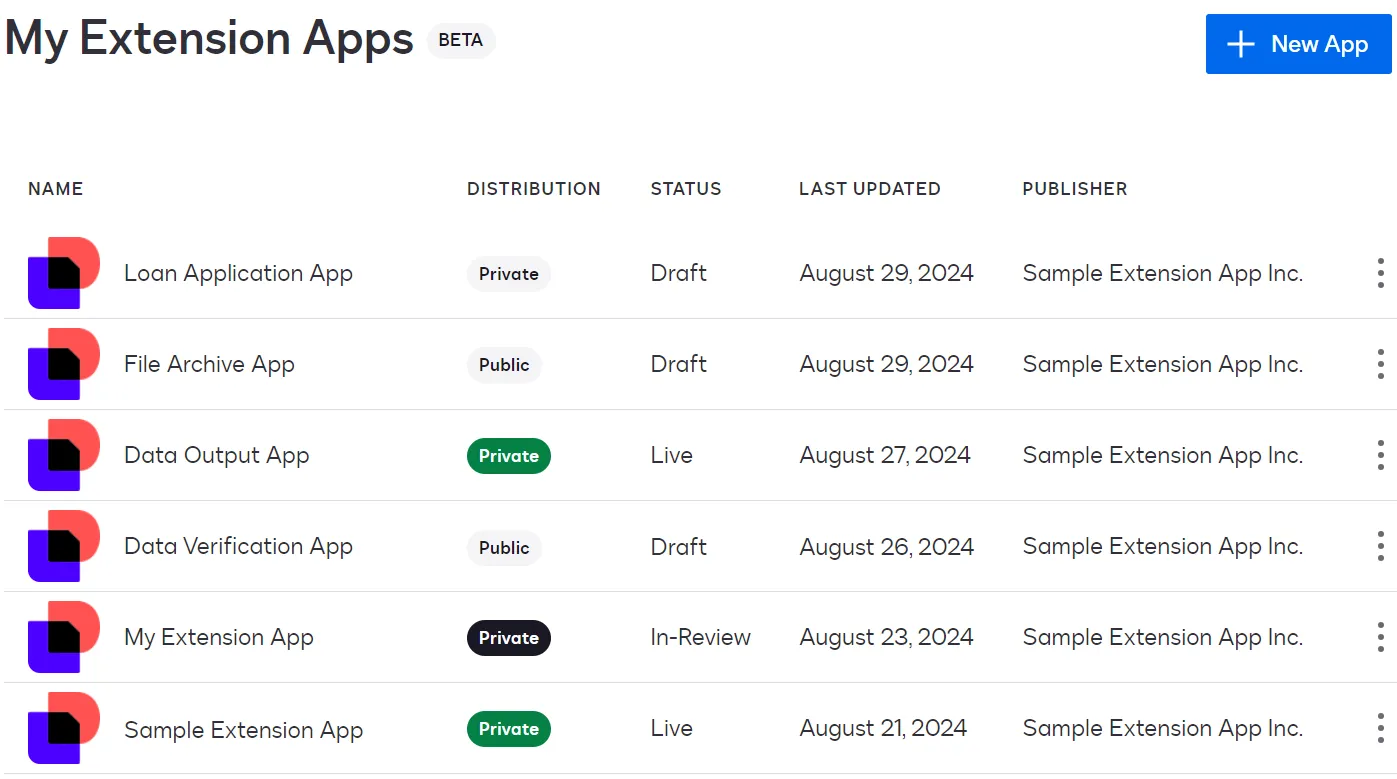
Display the status and distribution for extension apps
You can see status and distribution information in these Developer Console locations:
- My Extension Apps page: Lists all extension apps in your account, including the status for each extension app’s latest version and the distribution. The My Apps page is displayed when you log in to the Developer Console.
- Header in the extension app detail pages: Selecting an extension app on the My Extension Apps page displays a menu of detail pages where you can perform various tasks. Each detail page header includes the latest version number, the status of that version, and the distribution type.
- App Versions page: An extension app detail page that lists all versions of an extension app, including their statuses and changelog details.
Status
Each version of an extension app has a status. An extension app can have multiple versions in different statuses.
For an extension app that has multiple versions, only one version can be in any of these statuses at a time: Draft, In Review, Approved, or Rejected. You cannot create a new draft version while any other version is in Draft, In Review, Approved, or Rejected status.
Extension app statuses are described below.
Distribution
An extension app has only one distribution type, regardless of the number of versions. You define the distribution type when you register an extension app.
The distribution types are:
- Public: After the extension app has been published and is in Live status, it can be used in production by any App Center user whose account is based in an allowed region for the app. See Globalization for more information.
- Private: The Live extension app version is available in production only to users in accounts that you specify. See Choosing private distribution instead of public for details about how private and public extension apps differ.
This table summarizes how an extension app’s distribution type and status determine the app’s availability to users on the demo and production App Centers.
Next steps
- Get an overview of the process to build an extension app.
- See how Docusign applies versions to extension apps.
- Learn more about the Docusign App Center.
- View a dashboard that displays extension app usage data.