
What's inside an extension app registration
There are two ways to register an extension app in the Docusign Developer Console: by using the form-based experience in the UI, or by uploading a JSON app manifest file that describes the extension app, its connections, its actions, and its optional capabilities. The Developer Console enables you to manage the entire lifecycle of your extension apps, including registering, testing, publishing, monitoring, and updating.
See Use a form to register an extension app and Use a manifest file to register an extension app for details on each way to register an extension app. See an Example JSON manifest file or view the App manifest reference for a full list of supported elements.
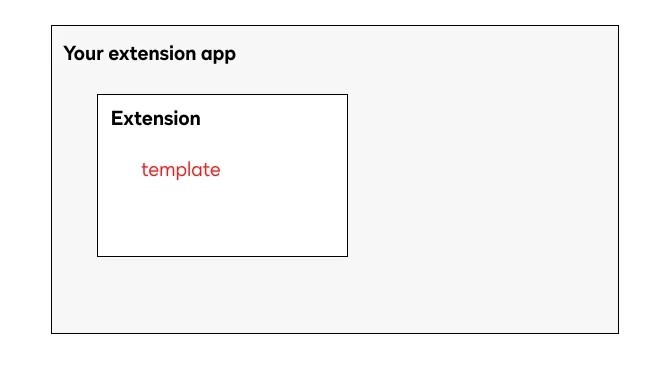
The following diagram sequence illustrates how you might create each piece of an extension app, step by step.
1. Register an extension app through the Developer Console and choose the extensions your app will implement. In the form-based experience, you choose the type in the UI. In the app manifest, you define this in the template property.
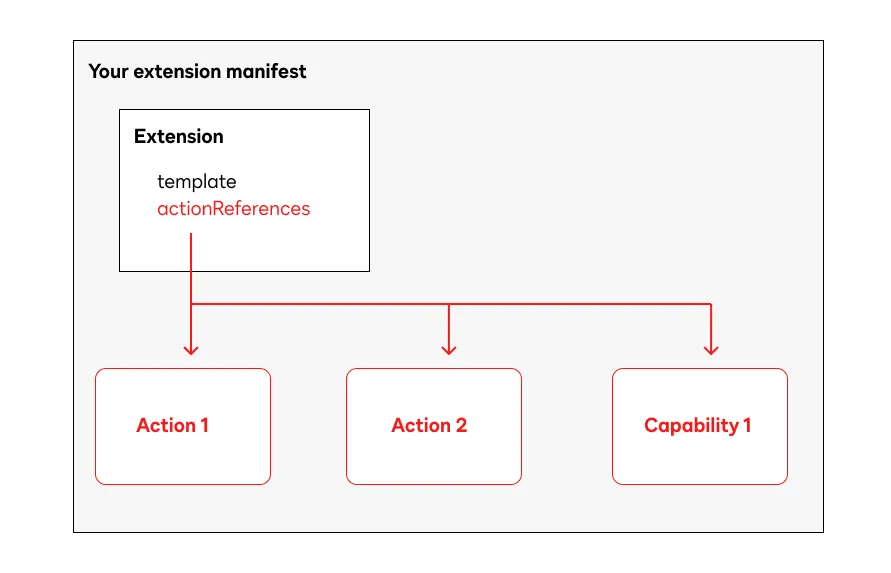
2. Each extension has a contract that defines its required supported types. You can add these actions and capabilities in the form-based experience UI or in the actionReferences object of your app manifest.
Note: If you register your app using an app manifest, make sure that the action names in the actionReferences object match the names in the actions objects.
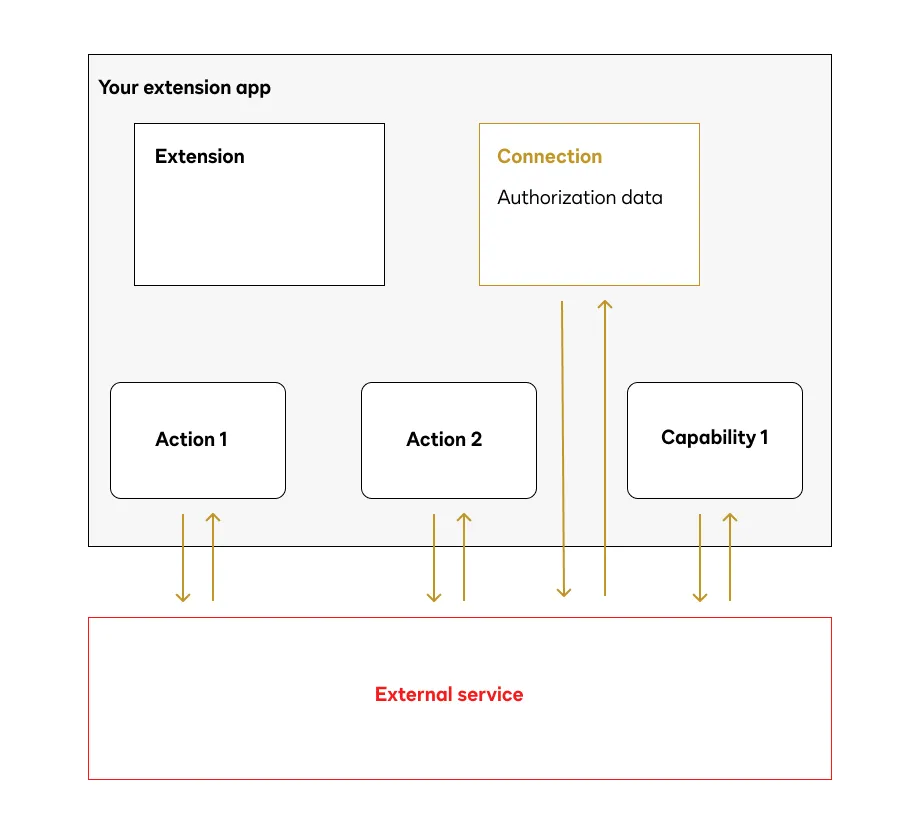
3. Each action and capability defines an API call to an external service. This Connection tells your app how to connect to and obtain authorization from the external service. You can configure this using the UI in the form-based experience, or add a Connection object in the app manifest.
4. Your app also needs to include some metadata, like your app’s name and publisher information.
Here’s an example of the components of an extension app registration with one extension and one action to verify a phone number.
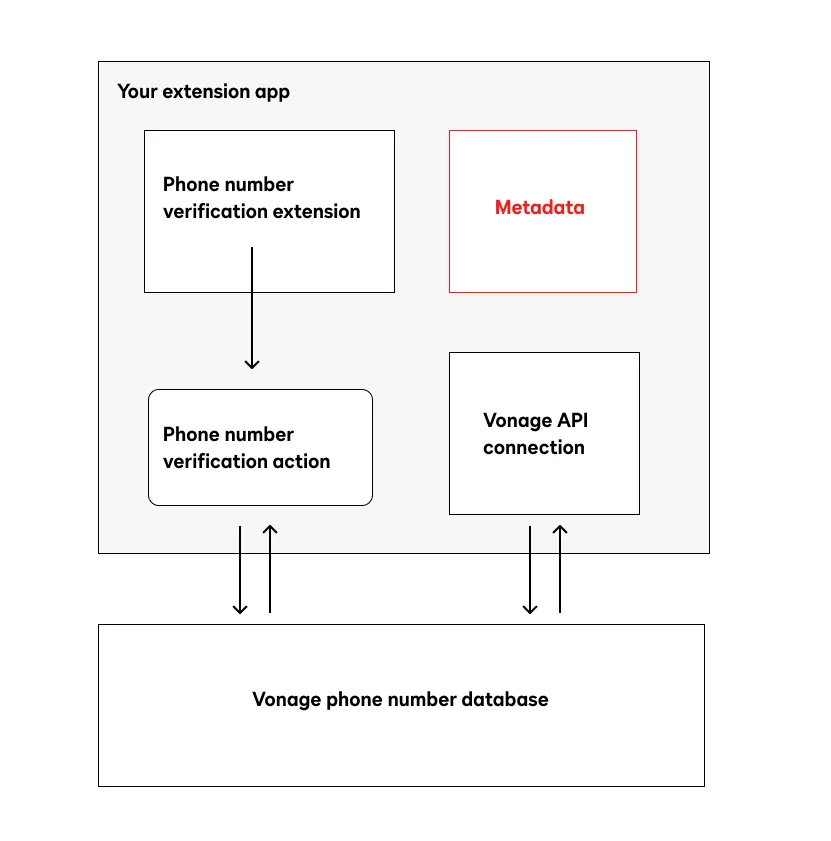
An extension app will connect to a single external platform. The extension app’s registration defines:
- A connection, which defines the authorization data Docusign needs to communicate with the external platform.
- Any number of extensions. Each extension supports a type of external functionality, such as data verification or connected fields. Extensions must adhere to the contracts of required actions based on their type (the value of the extension’s
templateproperty). - Any number of actions and capabilities, which are triggered to do units of work for your extensions. When triggered, each action and capability will call an external platform API endpoint to perform a function. Actions and capabilities must also adhere to input and output contracts based on their type (the value of their
templateproperty). Actions are required for an extension; capabilities are optional. - A set of metadata that describes the extension app and publisher. This metadata is referenced when the extension app is published in the App Center.
See Extension app manifest for details.
Next steps
- See Use a form to register an extension app and Use a manifest file to register an extension app for details on how to register an extension app through the UI or via uploading a JSON manifest file.
- Learn more about supported extensions.
- See extension app manifest details and an example.
- Get specifications in the App manifest reference.