
Actions
Actions are the individual functions that do the work in your extension app.
When an action is triggered at an applicable extension point, Docusign calls the action’s specified API endpoint. For example, a workflow step is the extension point for an action to write a file to cloud storage. When an executing workflow instance reaches the file output step, the request to write the file is sent to the external API service.
Depending on the type of action being invoked, the response data will be integrated back into your Docusign workflow as a confirmation, a prompt for further action, or values that appear in UI controls.
Define an action in the app manifest
You can define an action in your extension app’s manifest file, as shown in this example. The definition includes the URL of the endpoint to call when the action is invoked. See Action schema for details about the properties.
In addition to defining each action in the actions object, the manifest file must reference the actions in the extensions.actionReferences array. See Extension schema for details.
Update action settings in a form
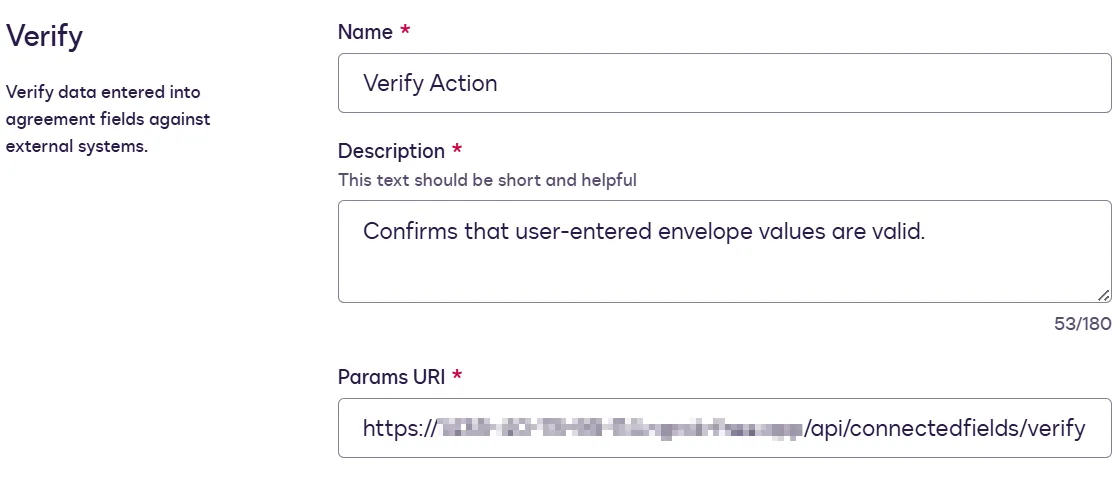
When using the form-based experience to register an extension app, corresponding action(s) are added for you when you select an extension. You can then update each action’s settings at the extension app’s integration details page.
During the form-based extension app registration process, if you select a file IO extension, its required actions are automatically added to the app. You can then configure the actions’ endpoint URIs and other properties on the Integration Details page. The extension’s optional capabilities can be added or removed only by editing the app manifest file. After you’ve added capabilities via the manifest file, you can edit them on the Integration Details page. See Action schema for information about action and capability properties in the app manifest file.
Shared actions
An extension app can include multiple extensions. If more than one extension supports the same action or capability, that action or capability can be defined only once for the app, and the extensions will share its definition. For example, if an extension app includes both the file input cloud storage and file output cloud storage extensions, the app can have only one definition for the List Directory Contents action, and both extensions will use that definition. Docusign does not support multiple versions of the same action or capability in the same extension app.
Next steps
- Learn how the action schema defines actions within your extension app.
- Explore how connections enable Docusign to send requests to an external service.
- Discover how extensions and extension points empower you to customize the Docusign experience.
- See sample app manifest files for all supported extensions.