
Email address verification extension contract reference
This extension enables real-time verification of an email address. Your extension app must perform validation itself or call an external service that verifies the existence and deliverability of email addresses.
This extension verifies specific types of values. See Connected fields extension overview for information about an extension that can verify any type of value against an organization’s system of record.
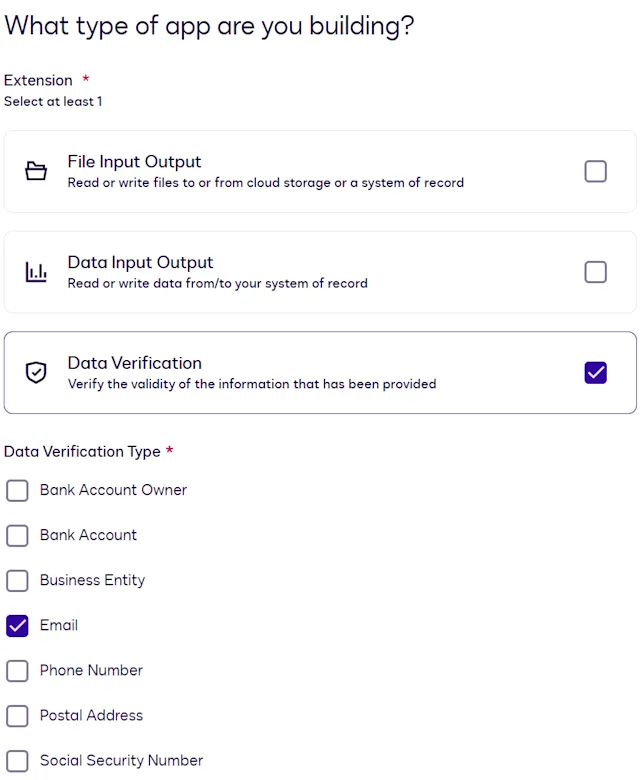
You can include this extension when you register an extension app. If you register the extension app using a form, select the Data Verification extension in the form-based UI. Then select a verification type of Email.
If you register the extension app using an app manifest file, set the extensions.template value in your app manifest to Verify.Version2.Email.
This extension has one action. The action name you specify when you register an extension app depends on whether you register the app using a form or using an app manifest file. The app manifest file value listed here appears in the actions.template property.
You provide the details required for action execution when you register an extension app. See Update extension and action settings for information about defining actions using the form-based registration process. See Action schema for information about action properties in the app manifest file.
Required actions
Verify Email (Verify.Version2.Email)
This contract describes the parameters that Docusign will pass to the external email verification service as well as the parameters expected in the response. You specify the URL for the email verification service in the action definition in the form-based UI or in the extension app manifest.
Verify Email is the label for this action that appears when you register an extension app using a form. If you register your extension app using an app manifest file, the actions.template property value for this action is Verify.Version2.Email.
HTTP method
This action initiates a POST request to the external API service.