
Recipient status codes
As the Docusign platform automatically routes an envelope from one recipient to the next, the recipient’s status changes to reflect this progress.
Note: Recipient status is distinct from envelope status. A recipient status indicates their progress towards performing their required actions, while an envelope status shows the envelope’s progress as a whole. Typically, envelope status is updated after each recipient has reached a new stage in the signing process.
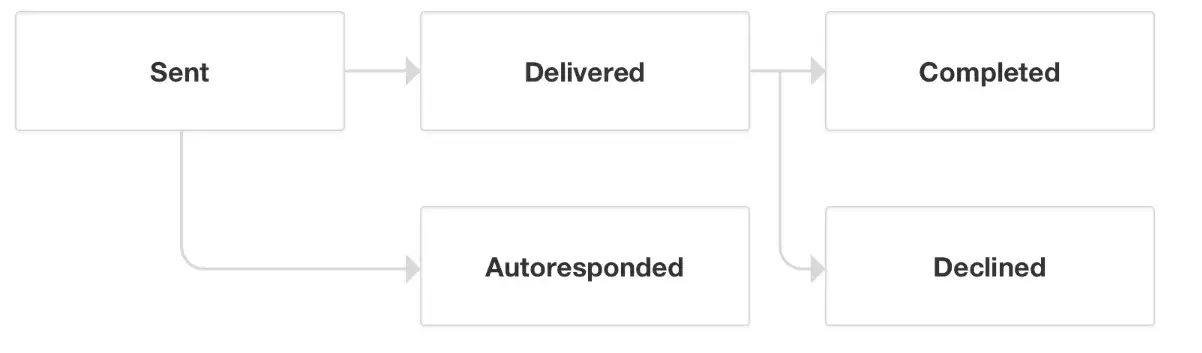
The following diagram shows the major steps of the signing process for each recipient:
Retrieving recipient status
As a best practice for retrieving recipient status, use Docusign Connect or Recipient Connect and a listener to subscribe to receive updates. When a recipient status changes, Docusign or Recipient Connect will send your listener a message letting you know and enabling your integration to respond immediately.
To retrieve the status of all envelope recipients, you can also make a request to the EnvelopeRecipients:list endpoint or a corresponding SDK method.
Recipient status code descriptions
The table below provides descriptions of the recipient status codes.
Next steps
For more information about retrieving recipient status, see:
For information about errors, see:
- Error codes for information about interpreting and handling errors.
- Troubleshooting for common errors for detailed information about causes and resolutions for specific errors.