
How to share access to an individual envelope
This topic demonstrates how to share a single envelope with another user and view it through the Shared Access feature without being a recipient of the envelope. The Shared Access feature enables a user (the principal) to grant another user (the agent) access to an existing principal’s envelope.
Important: There must be envelopes in the principal’s inbox to complete this how-to. See How to request a signature by email to learn more about creating an envelope.
See Shared Access for details on the feature and the list of supported envelope actions.
Run this code example from our Quickstart or launcher projects: Bash, C#, Java, Node.js, PHP, PowerShell, Python, or Ruby.
Required data
Running the code in this how-to requires this data:
Step 1. Obtain your OAuth token
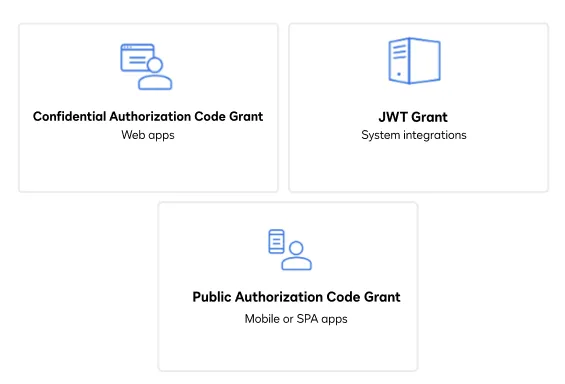
To make the API calls shown in this how-to, you need a valid OAuth access token. Docusign supports access tokens for three different recommended OAuth grant types: Public Authorization Code Grant, Confidential Authorization Code Grant, and JSON Web Token (JWT) Grant. Choose the OAuth grant type appropriate for your scenario.
See Confidential Authorization Code Grant for guidance on your options to get a Confidential Authorization Code Grant OAuth token.
Step 2. Construct your API headers
After you have a valid OAuth access token, you are ready to construct the API headers that you will pass to the API call. Construct your headers like this, but make sure to substitute your valid OAuth access token for {ACCESS_TOKEN}.
Step 3. Construct the request body to create an agent and call the API
To share an envelope with an agent, there must be at least two users in the principal’s account. This step creates a new agent with whom the envelope will be shared. If there is already a second user in the principal’s account, you can skip this step and instead record the second user’s user ID to use in the next step.
First, create the request body for the API call to create an agent. Set the userName and email fields to the name and email address associated with the agent. Set the activationAccessCode to a string that the agent will use to activate their account. Make a POST request to the Users:create endpoint and include the request body to create the agent. Then, extract the agent’s userId from the response as {AGENT_USER_ID}. You will use it again in Step 4.
After the agent is created, Docusign sends an activation email to the agent’s address. Open the email and activate the agent by using the activation code that you provided before you continue to the next step.
Step 4. Construct the request body to share the envelope and call the API
This step shares the principal’s envelope with the agent created in the previous step. If you already have a second user with whom you’d like to share the envelope, you can provide their user ID in the agentUser JSON.
Now that you have created and activated an agent, you need to authorize the agent to manage the envelope. In the shares array, set the userId field of agentUser to the one associated with the agent and the accountId field to the principal’s API account ID. Set the permission to manage. You can also set a customMessage for the agent. Make a POST request to the Envelopes:createShares endpoint and include the request body to share the envelope. Use the ID of the envelope to share as {ENVELOPE_ID} and the principal’s API account ID as {API_ACCOUNT_ID} in the call.
Only the envelope that you specify is shared. The agent does not get access to the rest of the principal’s envelopes.
Step 5. Retrieve the shared envelopes as the agent
The following API call will be made by the agent. Before making this API call, you need to authenticate as the agent.
After you have authenticated as the agent, retrieve the envelopes that are shared with the agent by calling the Envelopes:getSharedEnvelopes endpoint. Any API calls made on behalf of the principal need to include the X-DocuSign-Act-On-Behalf header and substitute the principal’s user ID for {IMPERSONATION_USER_GUID}. Be sure to also substitute the API account ID of the agent for {ACCOUNT_ID}.
The example limits the results to envelopes from the last 10 days.
Expected response
If you run this code example from our Quickstart or launcher projects, you should see a JSON response of the envelopes shared with the agent’s account.
Next steps
- Run this code example from our Quickstart or launcher projects: Bash or PowerShell.
- Learn more about How to share access to a Docusign envelope inbox.
- See how to Go-Live with a completed app and find the base path for API calls in the production environment.