
How to apply a brand to an envelope
This topic demonstrates how to apply a brand to an envelope with the eSignature REST API.
Run this code example from our Quickstart or launcher projects: Bash, C#, Java, Node.js, PHP, PowerShell, Python, or Ruby.
Required data
Running the code in this how-to requires this data:
Step 1. Obtain your OAuth token
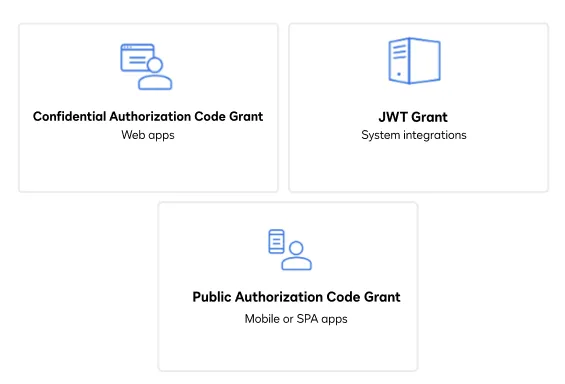
To make the API call shown in this how-to, you need a valid OAuth access token. Docusign supports access tokens for three different recommended OAuth grant types: Public Authorization Code Grant, Confidential Authorization Code Grant, and JSON Web Token (JWT) Grant. Choose the OAuth grant type appropriate for your scenario.
See Confidential Authorization Code Grant for guidance on your options to get an Confidential Authorization Code Grant OAuth token.
Step 2. Construct your API headers
After you have a valid OAuth access token, you are ready to construct the API headers that you will pass to the API call. Construct your headers like this, but make sure to substitute your valid OAuth access token for {ACCESS_TOKEN}.
Step 3. Construct the request body
Next, create the request body to create an envelope using your brand, substituting your brand ID for {BRAND_ID}, your signer email for {SIGNER_EMAIL} and your signer name for {SIGNER_NAME}.
Step 4. Call the eSignature REST API
Now that you have constructed your API headers and request body, you can send the envelope with the Envelopes:create method and include the request body with an applied brand ID. Here’s how you make the call, but make sure to substitute your API account ID for {ACCOUNT_ID}.
Expected response
If you run this code example from our Quickstart or launcher projects, you should see a JSON response similar to the code shown.
Next steps
- Run this code example from our Quickstart or launcher projects: Bash, C#, Java, Node.js, PHP, PowerShell, Python, or Ruby.
- Learn more about branding.
- Learn about creating and using templates.
- Review Working with Templates on Docusign Support.
- See how to Go-Live with a completed app and find the base path for API calls in the production environment.