
How to list envelope status changes
This topic demonstrates how to get a set of status history data for all of your envelopes updated within a specified range of dates.
Required data
Running the code in this how-to requires this data:
Step 1. Obtain your OAuth token
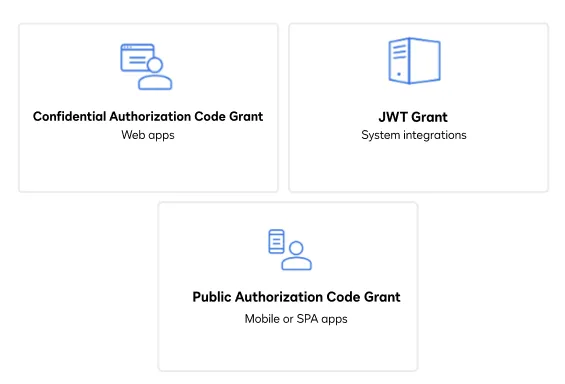
To make the API call shown in this how-to, you need a valid OAuth access token. Docusign supports access tokens for three different recommended OAuth grant types: Public Authorization Code Grant, Confidential Authorization Code Grant, and JSON Web Token (JWT) Grant. Choose the OAuth grant type appropriate for your scenario.
See Confidential Authorization Code Grant for guidance on your options to get an Confidential Authorization Code Grant OAuth token.
Step 2. List envelope status
Call the envelopes.listStatusChanges method to get a list of envelopes and their statuses during a specified range of time. To get the list, you must specify either a from date or provide a list of envelope IDs or transaction IDs in the request. Otherwise, an error will be returned. This example uses the from date to get an array of envelopes created within the last 30 days. Use the following steps to make this method call and obtain the list of envelopes and statuses:
-
Instantiate the Docusign API client.
-
Set the following default request header to add your access token.
"Authorization" : "Bearer {ACCESS_TOKEN}" -
Initialize the Envelopes API.
-
Create a filter that specifies the set of envelope statuses that you want to return. Your request must include one or more of the following filter parameters:
from_date,envelope_ids, ortransaction_ids. Each of these parameters can accept a comma-delimited list.The example documented here uses the
from_datefilter, which returns all envelope status changes made since the specified date. Docusign recommends using ISO 8601 format dates with an explicit time zone offset.Note: The
statusandfrom_to_statusoptions are very useful for search filtering. The former enables filtering by way of a comma-delimited list of statuses, whereas the latter will enable you to filter by a specific status for a givenfrom_dateandto_datetime range. You can learn about more optional query filtering parameters by consulting Envelopes:listStatusChanges in the API Reference. -
After calling the
envelopes.listStatusChangesmethod to obtain the envelope status data, you will receive both data on the status of each document within the envelope (sentvsdraft, for instance) and status change dates as well as resource locators such as the documents combined URI, the attachments URI, and the recipients URI.
View the source code for this example on GitHub: Bash, C#, Java, Node.js, PHP, PowerShell, Python, or Ruby.
Expected response
If you run this code example from our Quickstart or launcher projects, you should see a JSON response similar to the code shown.
Next steps
- Run this code example from our Quickstart or launcher projects: Bash, C#, Java, Node.js, PHP, PowerShell, Python, or Ruby.
- See context around envelopes.
- See Envelopes:listStatusChanges for the full list of envelope status values.
- See the MyAPICalls sample app scenario Envelope Search with Resend, which walks you through a sequence of API calls that search for envelopes and resend an envelope returned in the results.
- See how to Go-Live with a completed app and find the base path for API calls in the production environment.