
How to list envelope recipients
This topic demonstrates how to retrieve a list of all envelope recipients and their associated status details, such as the signing status for each envelope document.
Run this code example from our Quickstart or launcher projects: Bash, C#, Java, Node.js, PHP, PowerShell, Python, or Ruby.
Required data
Running the code in this how-to requires this data:
Step 1. Obtain your OAuth token
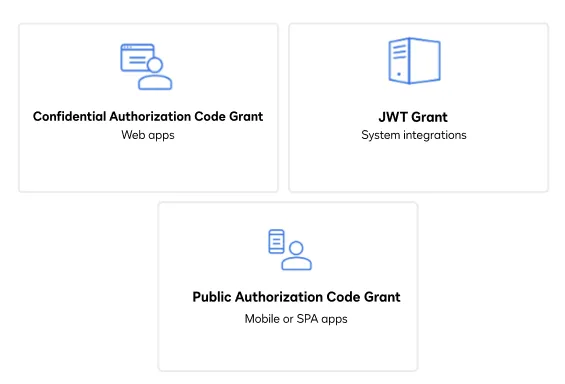
To make the API call shown in this how-to, you need a valid OAuth access token. Docusign supports access tokens for three different recommended OAuth grant types: Public Authorization Code Grant, Confidential Authorization Code Grant, and JSON Web Token (JWT) Grant. Choose the OAuth grant type appropriate for your scenario.
See Confidential Authorization Code Grant for guidance on your options to get an Confidential Authorization Code Grant OAuth token.
Step 2. List envelope recipients
List the recipient data for a given envelope using the following steps:
- Instantiate the Docusign API client.
- Set the following default request header to add your access token.
"Authorization" : "Bearer {ACCESS TOKEN}" - Initialize the Envelopes API.
- Call the EnvelopeRecipients:list method with the ID of the envelope whose recipients you want to list. Depending on the complexity of your document, the amount of data returned could be vast and include attributes such as
agents,editors,inPersonSigners,intermediaries, and more.
Note: The
currentRoutingOrderparameter specifies which current step in the signing order is active. Completed documents will reveal the Signer information including signed name and initials. Keep in mind that confidential data such as a Social Security number is not returned through the API and must be returned via the form data link on the Developer Console.Note: When tracking your users, a client user ID can be specified on your side for ease of granularity. Recipient GUIDs are generated on a per-envelope basis, which should help when troubleshooting potential issues within your workflow,
Expected response
If you run this code example from our Quickstart or launcher projects, you should see a JSON response similar to the code shown.
Next steps
- Run this code example from our Quickstart or launcher projects: Bash, C#, Java, Node.js, PHP, PowerShell, Python, or Ruby.
- See Envelopes for context.
- Learn more about envelope status in the API reference.
- See how to Go-Live with a completed app and find the base path for API calls in the production environment.