
Account maintenance and self-service use case
For financial institutions, maintaining customer accounts is an ongoing process that directly impacts customer experience and operational efficiency. Customers expect to handle routine updates, such as name or address changes and beneficiary modifications, through self-service. However, many requests still require agent support or compliance checks that are not automated. These bottlenecks create slow turnaround times that frustrate customers, increase servicing costs for the business, and tie up back-office teams with routine tasks instead of higher-value work.
Outdated, disconnected systems, manual data re-keying across multiple platforms, and multi-step verification processes further compound the problem. This leads to higher error rates, Not In Good Order (NIGO) submissions, and workflows that are difficult to scale as customer demand grows. Developers face the challenge of delivering streamlined, secure self-service experiences that integrate seamlessly with existing systems, meet regulatory obligations, and minimize manual work for staff. Docusign for Developers provides a suite of APIs, workflow automation tools, and extension apps that help developers build scalable, compliant, and customer-friendly account maintenance processes.
The developer challenge
To address these operational and customer experience challenges, engineering teams must deliver a solution that supports account maintenance at scale while enabling faster, lower-friction interactions for customers. In practice, this requires:
- Orchestrated customer and agent interactions: Support both self-service and assisted steps within the same account maintenance process, ensuring a consistent experience as customers move across channels.
- Interoperability across systems: Coordinate data exchange and process state across core platforms, customer relationship management (CRM) systems, identity services, and document systems without extensive custom integration code.
- Policy-driven verification and controls: Apply identity verification (IDV), approvals, and compliance checks—including Know Your Customer (KYC) and Anti-Money Laundering (AML) requirements—consistently based on the nature of the account update, with outcomes that can be audited across systems without relying on manual reconciliation or fragmented records.
- Reliable, structured data handling: Capture customer input and supporting artifacts in a structured format that can be validated and written back to systems of record automatically.
- Operational efficiency and maintainability: Reduce manual handling while allowing workflows to evolve as policies, systems, and regulatory requirements change.
Successfully addressing these challenges enables financial institutions to deliver faster, more frictionless account maintenance experiences, reducing turnaround times and rework for customers while improving satisfaction, trust, and long-term retention.
How Docusign supports self-service account maintenance
Docusign provides a suite of tools that help developers automate account update processes while maintaining compliance, integrating with existing systems, and enabling seamless self-service experiences.
Workflows and the Workflow Builder API
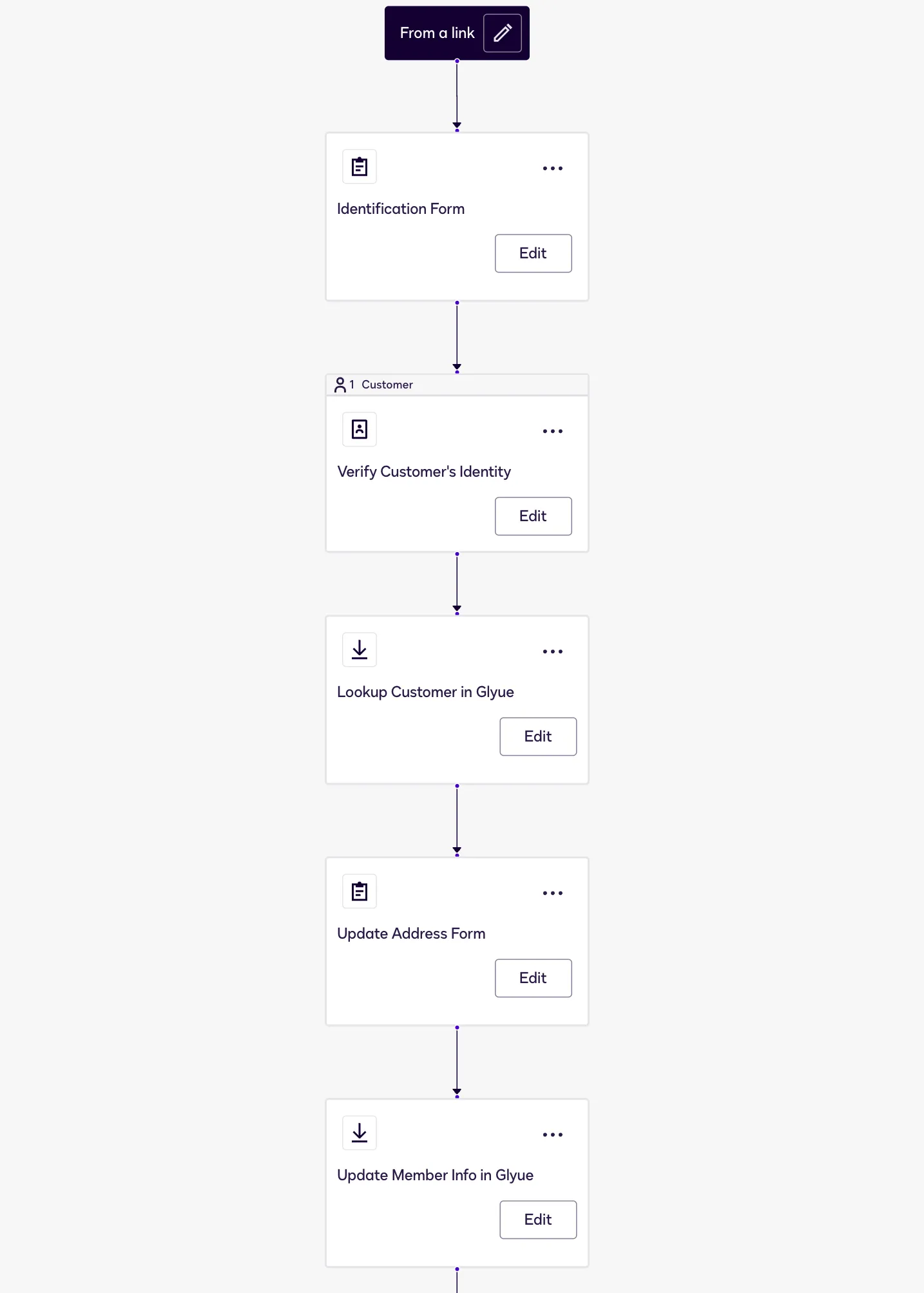
Docusign Workflow Builder is a low-code platform tool for orchestrating complex business logic. Developers can define step-by-step flows that can include Web Forms for capturing customer input, conditional logic based on workflow data, integration with internal systems via extension apps, IDV steps, document generation, and automatic routing and storage of completed forms.
Implementing a Workflow Builder workflow can:
- Combine self-service and assisted steps into a single automated process.
- Automate repetitive tasks like document routing, data updates, and notifications, reducing manual handling.
- Ensure compliance by enforcing verification or approval steps before sensitive updates are processed.
- Maintain consistency across multi-step updates, such as simultaneous address and beneficiary changes.
- Produce a centralized, auditable record of workflow execution, including user actions, system decisions, and verification outcomes.
The Workflow Builder API complements workflows by allowing developers to programmatically start workflow instances, monitor progress, retrieve outputs, and access workflow audit events, providing full control over workflow execution without requiring interaction with the low-code designer.
Web Forms and the Web Forms API
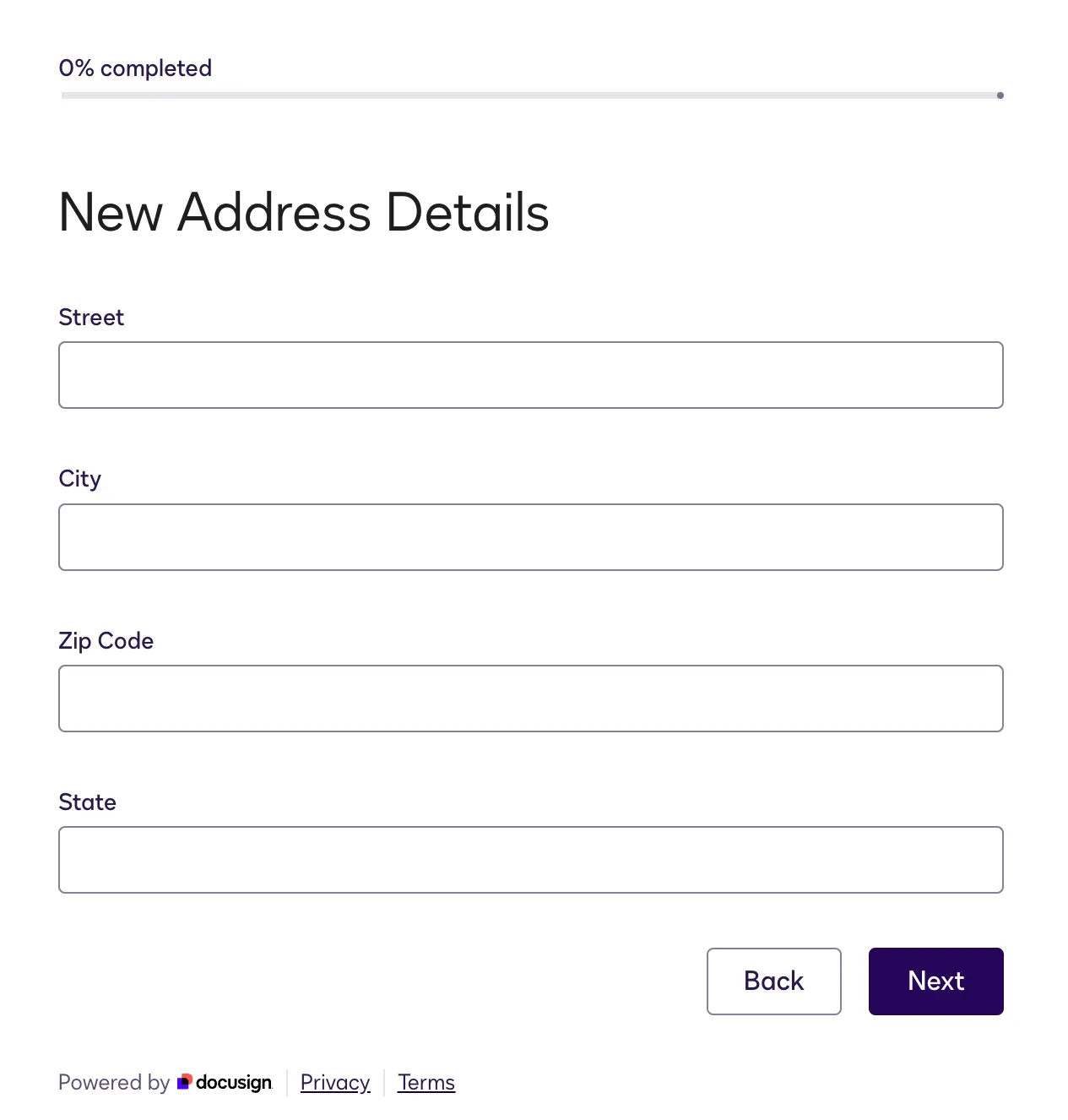
Docusign Web Forms collect customer input for standalone use or orchestration within a Workflow Builder workflow. The Web Forms API allows developers to programmatically create, trigger, and embed web form instances in authenticated applications, ensuring that each instance is unique and secure.
Using Web Forms in account maintenance workflows can:
- Trigger workflow steps automatically when a form is submitted.
- Prefill fields with existing data from CRM or core banking systems to reduce errors.
- Apply real-time validation and verification checks to enforce compliance, reduce errors, and minimize NIGO submissions.
- Allow customers to upload supporting documents, such as IDs and authorization forms, ensuring that required artifacts are captured securely for faster processing and compliance.
- Embed forms securely in web portals or email campaigns, using the API to manage instance creation and delivery.
- Provide a consistent self-service interface while feeding data into the workflow for processing.
Identity verification
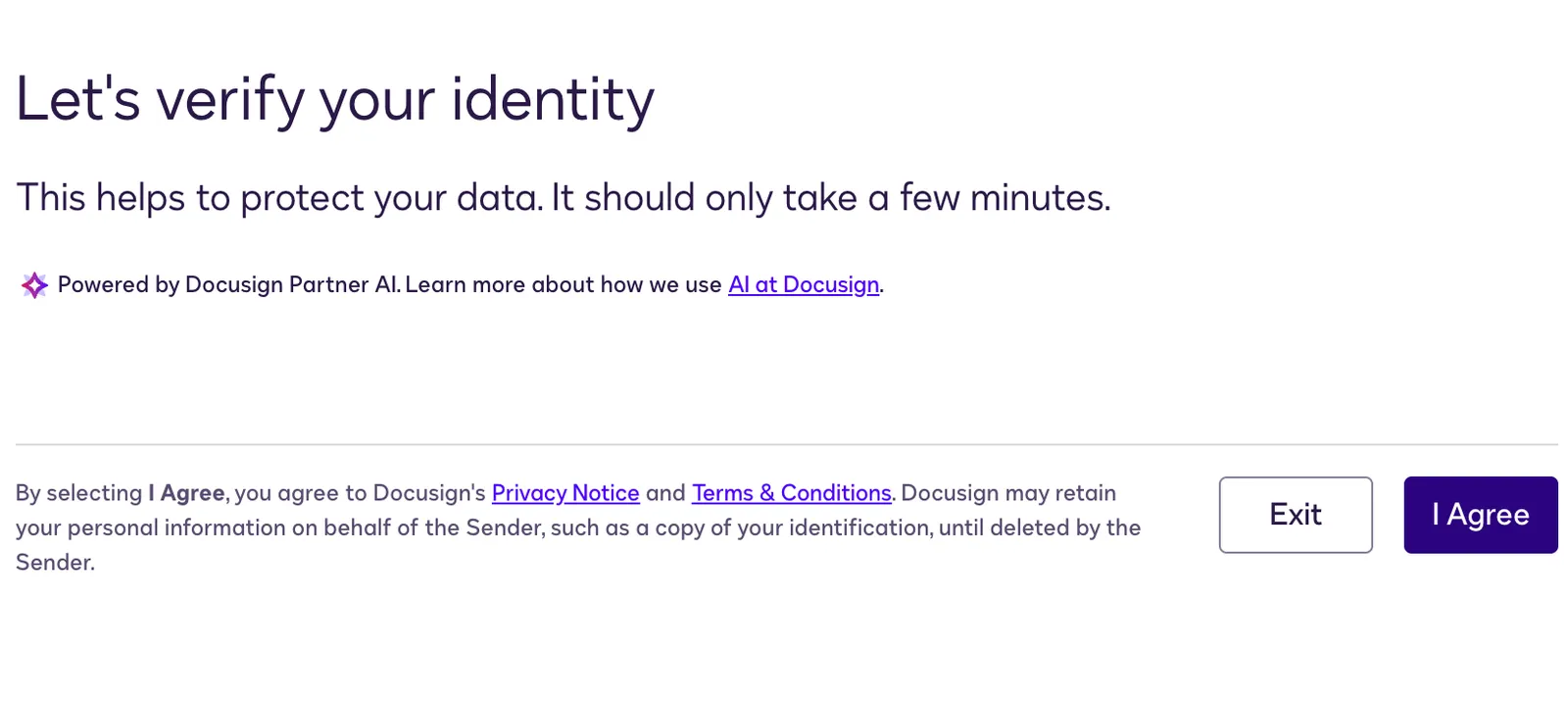
Docusign Identity Verification provides a set of tools to confirm the identity of individuals interacting with agreements or workflows. It uses secure, technology-driven checks to ensure that users are properly authenticated, helping maintain compliance and trust in digital account maintenance processes.
Using IDV in account maintenance workflows can:
- Branch workflow paths based on verification outcomes. For example, an application can be routed for additional review if verification fails.
- Integrate with Web Forms, connected fields, or document signing steps to ensure that sensitive updates are processed securely.
- Capture verification artifacts and evidence automatically for audit and compliance purposes.
Connected fields extension
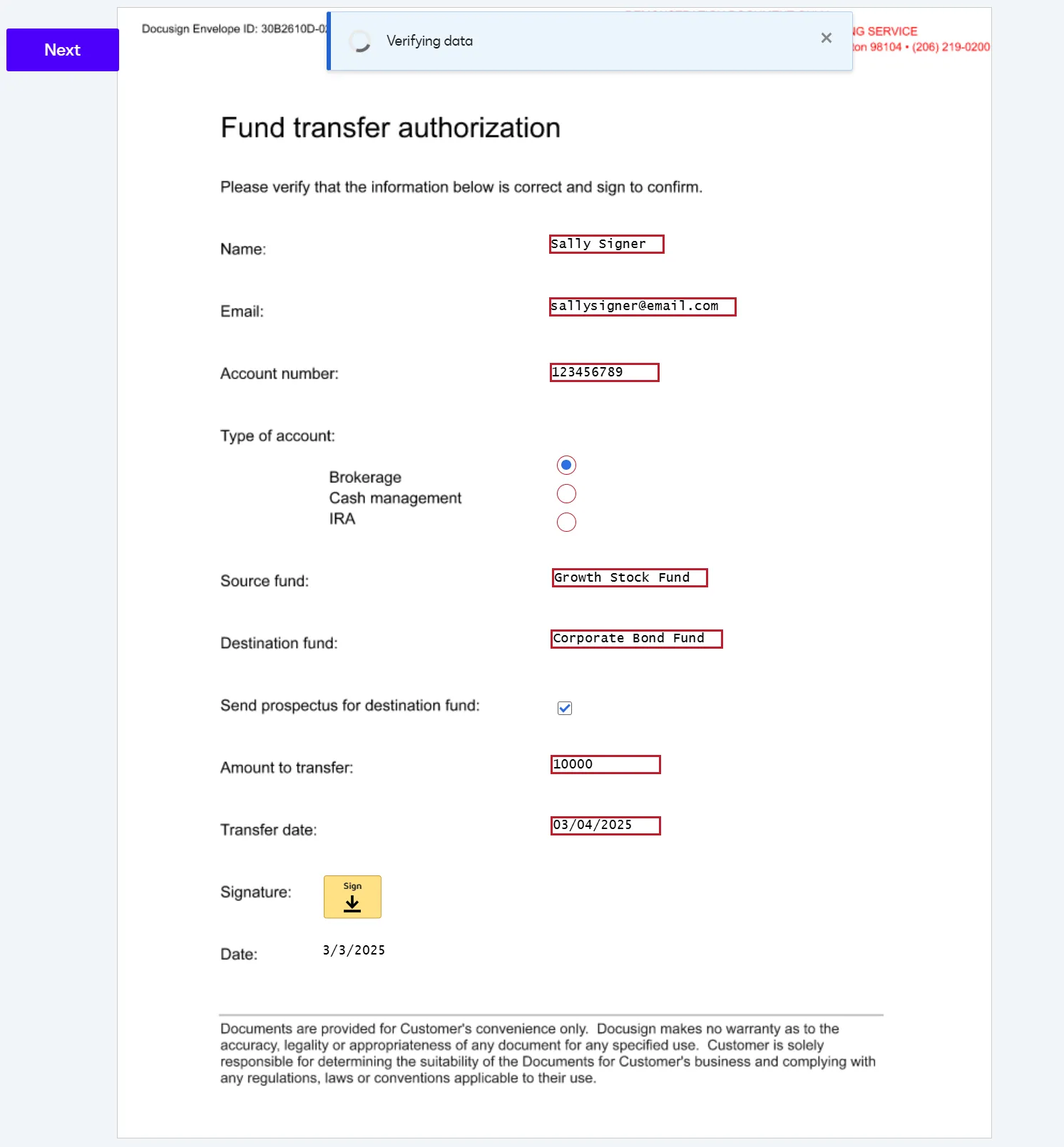
The connected fields extension allows developers to verify user-entered data in real time by sending values from selected fields to an external verification service. Unlike prebuilt data verification tools that only handle standard types like addresses or SSNs, connected fields can validate any field or data type you define, providing flexibility for complex or organization-specific account updates.
In account maintenance workflows, connected fields can:
- Reduce errors in multi-step updates by validating critical information as it is entered.
- Integrate with extension apps to apply custom verification logic against internal systems.
- Trigger workflow branching or exception handling based on verification results.
This approach ensures data integrity across complex updates while minimizing manual intervention and supporting compliance with your organization’s policies.
Data IO extension
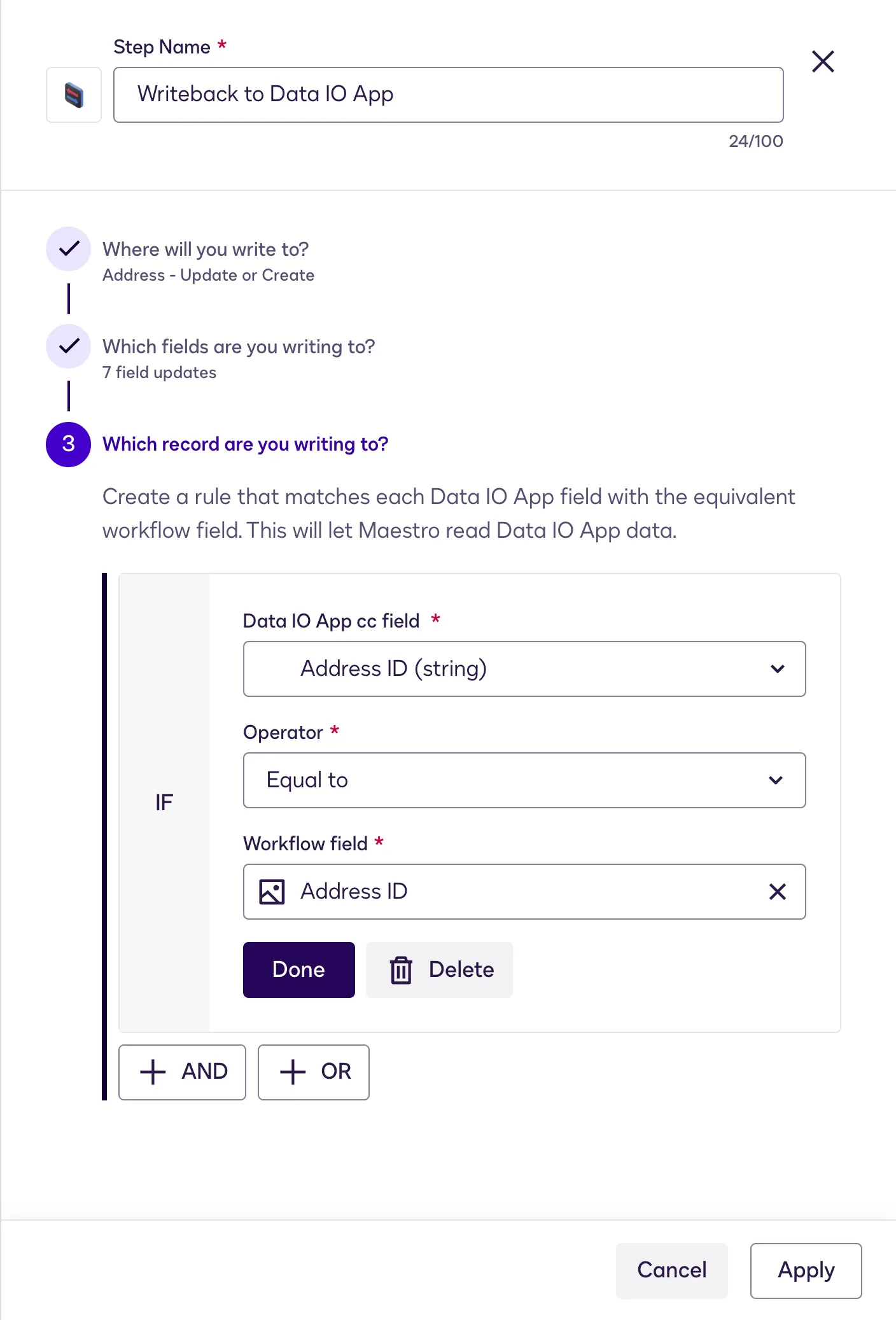
The data IO extension enables developers to transfer structured data between agreements, forms, and internal systems. It is particularly useful for orchestrating workflows that require prefilled information or for capturing updates from customers in a way that integrates seamlessly with your organization’s backend systems.
In account maintenance workflows, the data IO extension can:
- Prefill Web Forms with data from CRM or core banking systems, reducing manual entry for customers and agents.
- Return completed form or workflow data directly to internal systems, keeping records up to date automatically.
- Support downstream processing, such as triggering notifications, updating approvals, or initiating additional workflows after updates are submitted.
By enabling straight-through processing, data IO helps developers automate updates, reduce errors, accelerate transaction timelines, and maintain a single source of truth across systems without manual intervention.
File output cloud storage extension
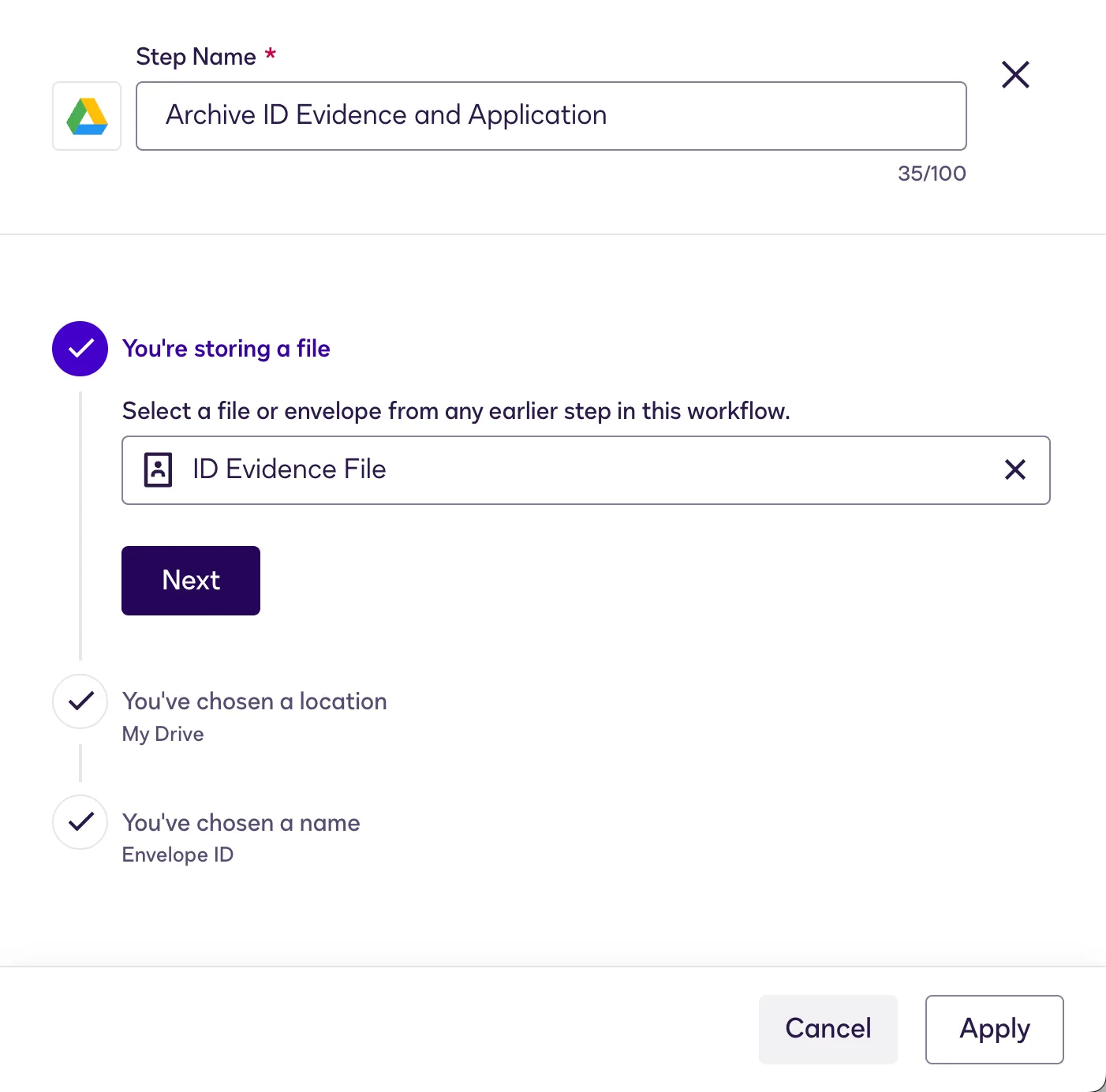
The file output cloud storage extension extension allows developers to automatically archive completed agreements and associated audit trails in cloud storage solutions. This ensures that signed documents and records of account updates are securely stored and easily accessible for compliance or operational needs.
In account maintenance workflows, the file output extension can:
- Store completed forms, agreements, and supporting artifacts, such as ID verification files, in systems like SharePoint, Box, or Google Drive.
- Maintain a secure, organized audit trail of customer updates and workflow actions.
- Reduce manual handling of documents while ensuring reliable retention and retrieval for compliance or internal review.
By automating document storage, this extension helps developers maintain regulatory compliance and operational efficiency without additional manual steps.
Extension apps
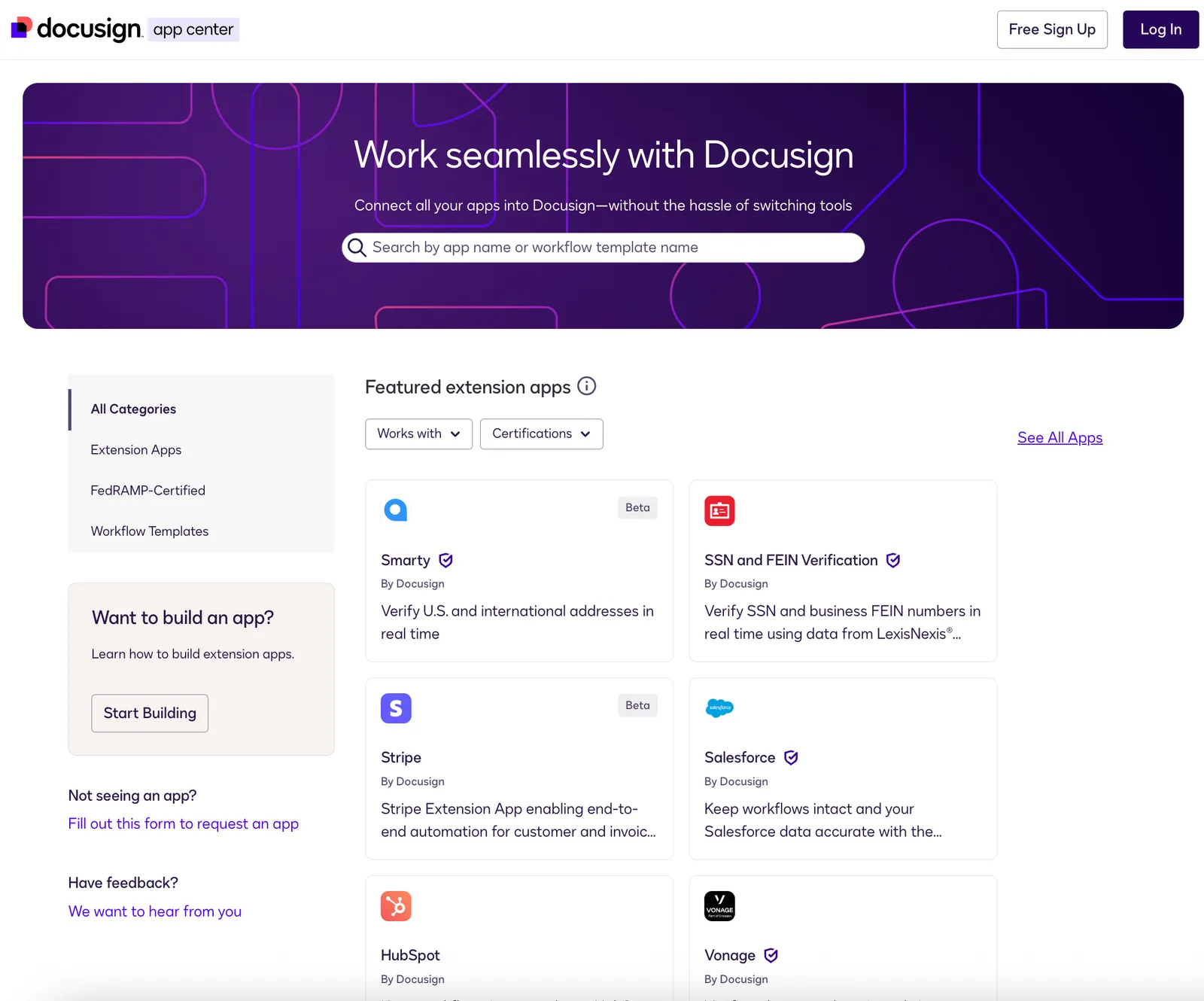
Docusign extension apps allow developers to extend the capabilities of workflows by implementing custom actions, integrating with internal systems, or enforcing business rules. They provide a flexible framework for automating processes, connecting Docusign workflows to other systems, and tailoring workflow behavior to meet organizational needs. Developers can build their own extension apps and publish them to the Docusign App Center to share with other users or teams.
For scenarios that require internal-only functionality, developers can create private extension apps. These apps can implement specialized logic, integrate with proprietary systems, or enforce policies specific to your organization—without exposing sensitive processes externally. Unlike public apps, private extension apps are restricted in their distribution: they must be shared explicitly with specific accounts or teams, and they do not appear in the App Center for all Docusign users.
In account maintenance workflows, extension apps can:
- Integrate with internal systems, legacy platforms, or external services.
- Apply custom validations, business rules, or workflow-specific logic.
- Automate repetitive tasks, data updates, and file storage.
Many prebuilt extension apps are available in the Docusign App Center, allowing developers to quickly add functionality without building from scratch. Examples include:
- nCino Integration Gateway (formerly SBB Glyue),which connects workflows to core banking systems.
- Box, Salesforce, and other CRM or document storage integrations.
Using extension apps—whether custom-built or prebuilt—gives developers the flexibility to enhance workflows efficiently, maintain operational control, reduce development effort, and ensure secure, scalable processes.
Getting started: Developer resources
Select a tab below for links to articles, examples, and videos to help you get up to speed quickly on Docusign technologies.
High-level overviews
Walkthroughs with sample code
Templates and example applications with repos
Videos
- Workflow Builder overview: Get an introduction to Workflow Builder workflows and access educational resources.
- Workflow Builder API overview: Start here for information about the API that enables your app to trigger and manage workflow instances.
- Web Forms overview: Get the basics about Web Forms and review the documentation.
- Web Forms API overview: Find out how your app can call this API to create web form instances and deliver them to your customers.
- ID verification overview: Learn about the types of identity verification available in Docusign products.
- Connected fields extension overview: See how to use connected fields to validate any data you choose against external sources of truth.
- Data IO extension overview: Learn about the data input and output flows that can retrieve and update data on an external system.
- File output cloud storage extension overview: See how file output requests function during workflow configuration and execution.
- Extension apps overview: Start here to find out how Docusign extension apps work and how to build them.
- Extensions and extension points: Review the core concepts of extensions and extension points to understand how and where custom extension logic can plug into workflows and agreement processes.
- Choosing private distribution instead of public: Get the details about how to configure private distribution for Docusign extension apps so that they are available only to specified accounts.