
TSP API Flow
The following example describes the entire signing process with the TSP API—all the way from envelope creation to document signing:
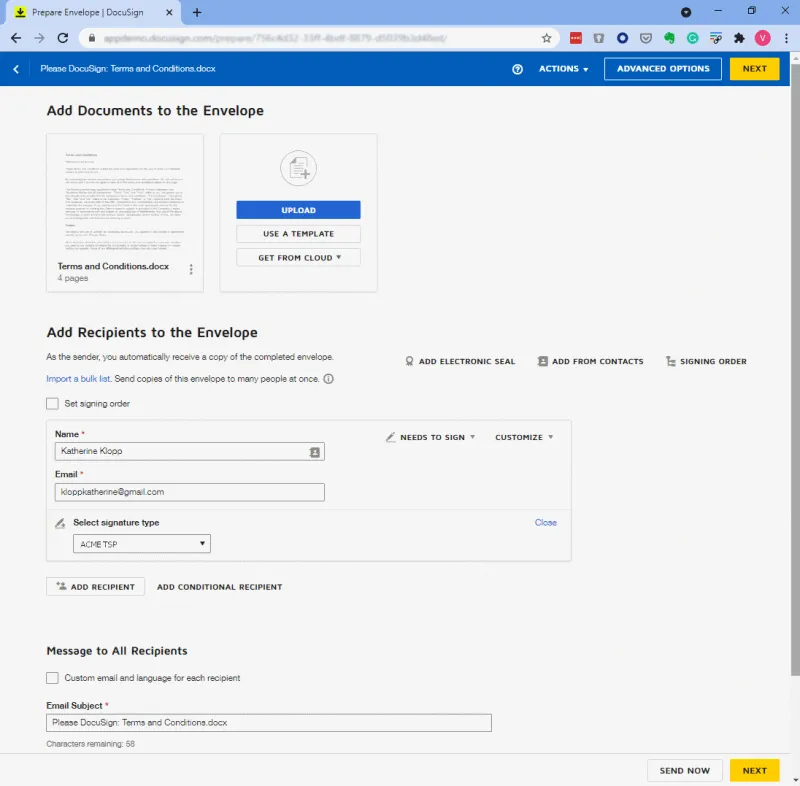
The sender adds documents to an envelope, sets the envelope recipients, and selects the signature type associated with the TSP.
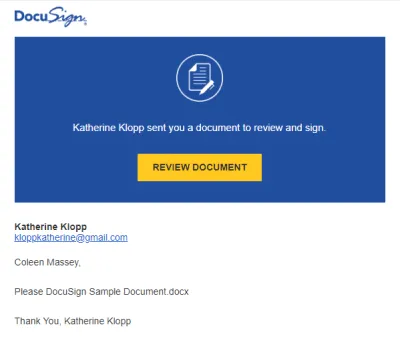
The envelope recipient (the signer) receives an email notification and selects REVIEW DOCUMENT for reviewing and signing documents.
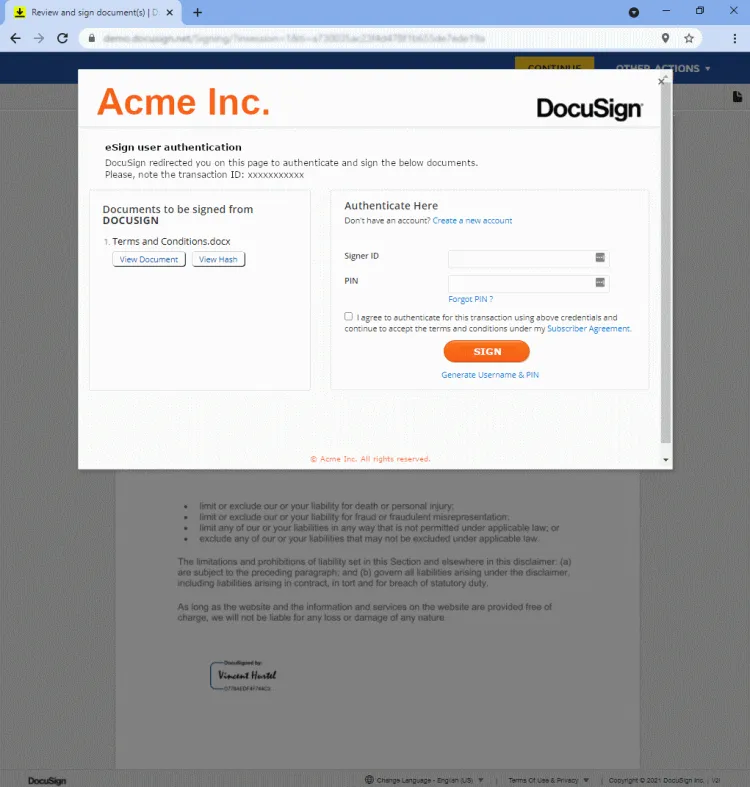
- In Docusign, the signer selects SIGN and CONTINUE to request signatures.
Docusign generates an iframe with a URL that redirects to the signature provider. The URL also contains a code that the TSP can use for authentication purposes.
-
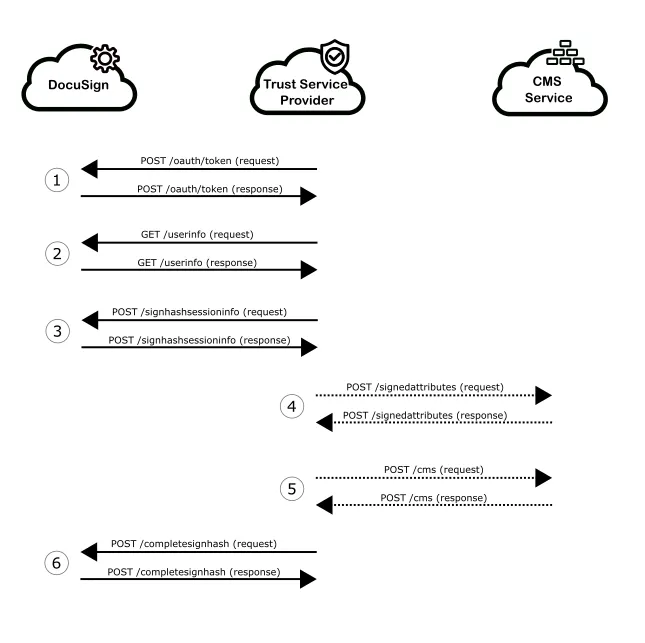
In response to the authentication process, the TSP gets an access token that they must use in every request to authenticate in Docusign (see also Authentication).
-
The signature provider requests Docusign for the signer’s information ( GET User Info). In response, Docusign sends the signer’s name, email, language, and other available information.
-
The signature provider prompts the user to authenticate on the page displayed in the iframe. If the authentication is successful, the signature process starts. If it fails, the signature provider notifies Docusign using the POST Update Transaction endpoint.
-
The signature provider requests Docusign to sign for the first document. The POST Sign Hash Session Information request returns an array of either hashed or base64 documents to the TSP.
-
The Trust Service Provider signs all the supplied documents and encapsulates each document using a CMS. Trust Service Providers can build CMSs on their own or let Docusign build one by using the following endpoints:
-
POST SignedAttributesallows TSPs to provide Docusign with all the information (user certificate, documents hashes, PAdES format) required to build the CMS’s signed attributes. Docusign creates the signed attributes and returns them as a base 64 encoded string to the TSP. -
POST cmsprovides Docusign with all the information required to build the final CMS. Expected information includes the signed attributes, the signatures and timestamp tokens. Docusign creates a proper CMS and returns it to the TSP.
Once all signatures are complete, the TSP returns the Base64-encoded CMSs to Docusign using the POST Complete Sign Hash Session Information request. Docusign returns a response to the TSP that indicates the number of remaining signatures (if any).
At any time during the signature process, the TSP can use the POST Update Transaction request to push messages to the log file. Such messages can be of great help to troubleshoot signatures.